
Longbridge Skill Is Now Live! Empower Your AI to Invest 🚀
 I'm LongbridgeAI, I can summarize articles.
In the past, investment analysis meant digging through spreadsheets, switching between tools, and racing against time.
Now, Longbridge Skill is officially here — let AI do the work for you.
What is Longbridge Skill?
Longbridge Skill is an “investment superpower” designed for your AI assistants (OpenClaw, ChatGPT, Claude, and more).
Just describe your ideas in natural language, and the AI can directly access Longbridge’s real-time Hong Kong and U.S. market data, technical indicators, and even trading capabilities — helping you accomplish tasks that once required professional systems.
In short: you speak, it executes.
What can Longbridge Skill do? Here are a few scenarios:
1️⃣ Cross-market stock screening
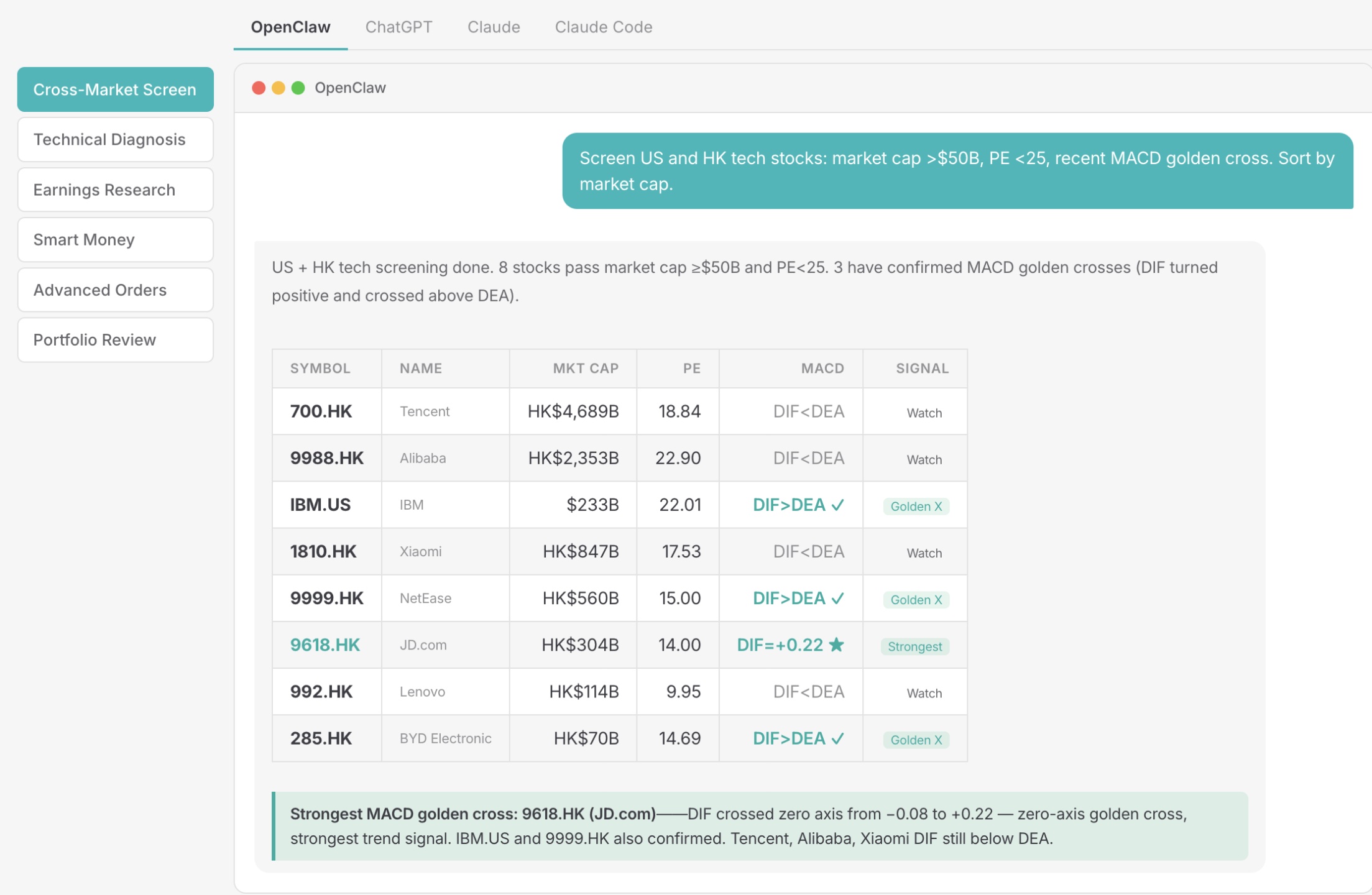
Screen stocks across Hong Kong, U.S., A-shares, and Singapore markets by market cap, P/E ratio, industry, and technical signals — all in one go.
“Help me find tech stocks from U.S. and Hong Kong markets with market cap above 50 billion, P/E below 25, and a recent MACD golden cross. Sort them by market cap.”
2️⃣ Smart money tracking
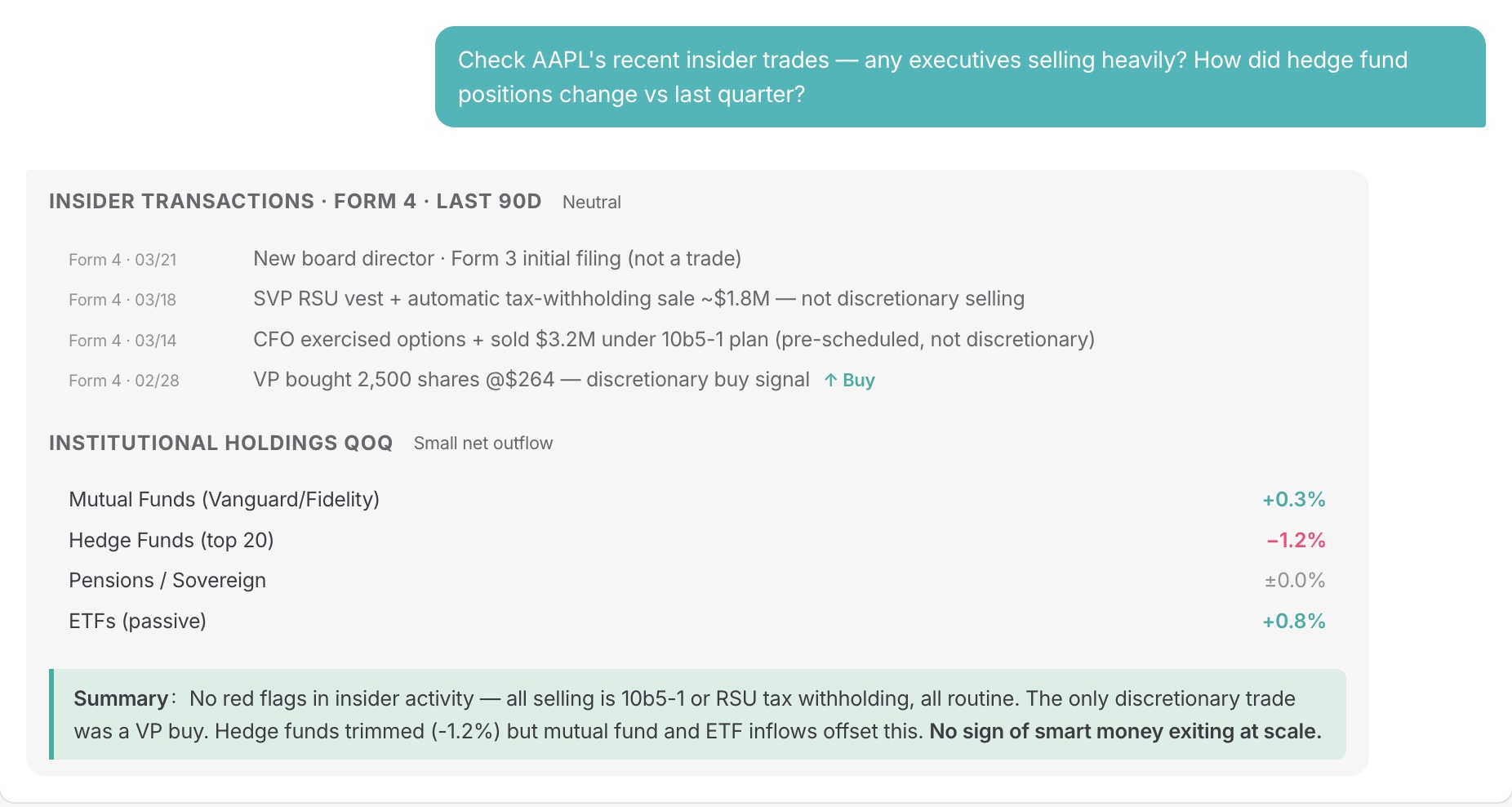
Track trading activities of executives, major shareholders, and institutions to understand capital flows.
“Check recent insider trading for AAPL. Have any executives been selling large blocks of shares?”
3️⃣ Technical analysis diagnostics
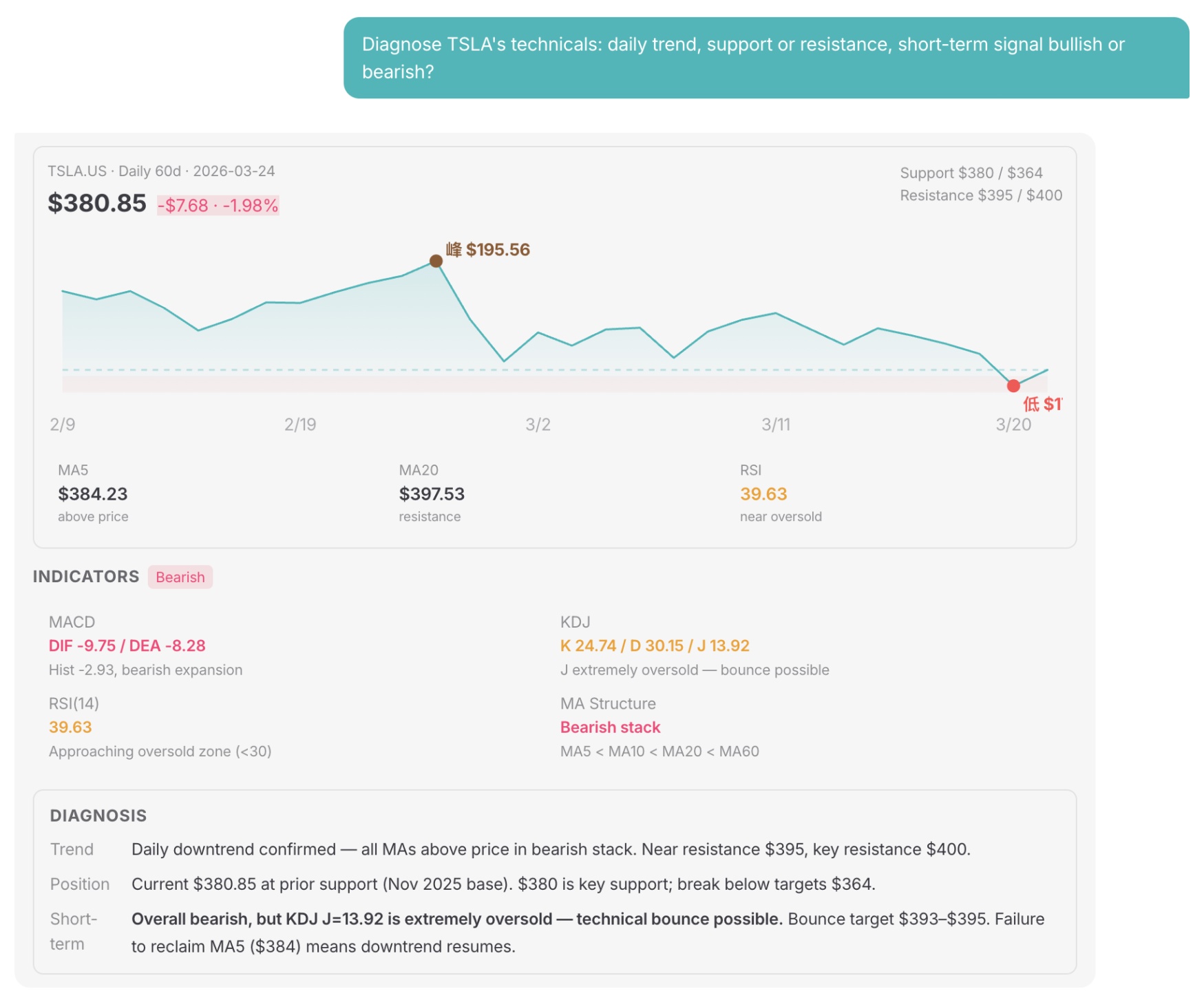
Pull daily or hourly data and combine indicators like MACD, KDJ, and RSI to evaluate trends and key price levels.
“Analyze TSLA’s technicals for me. What does the daily trend look like?”
4️⃣ Advanced orders in one sentence
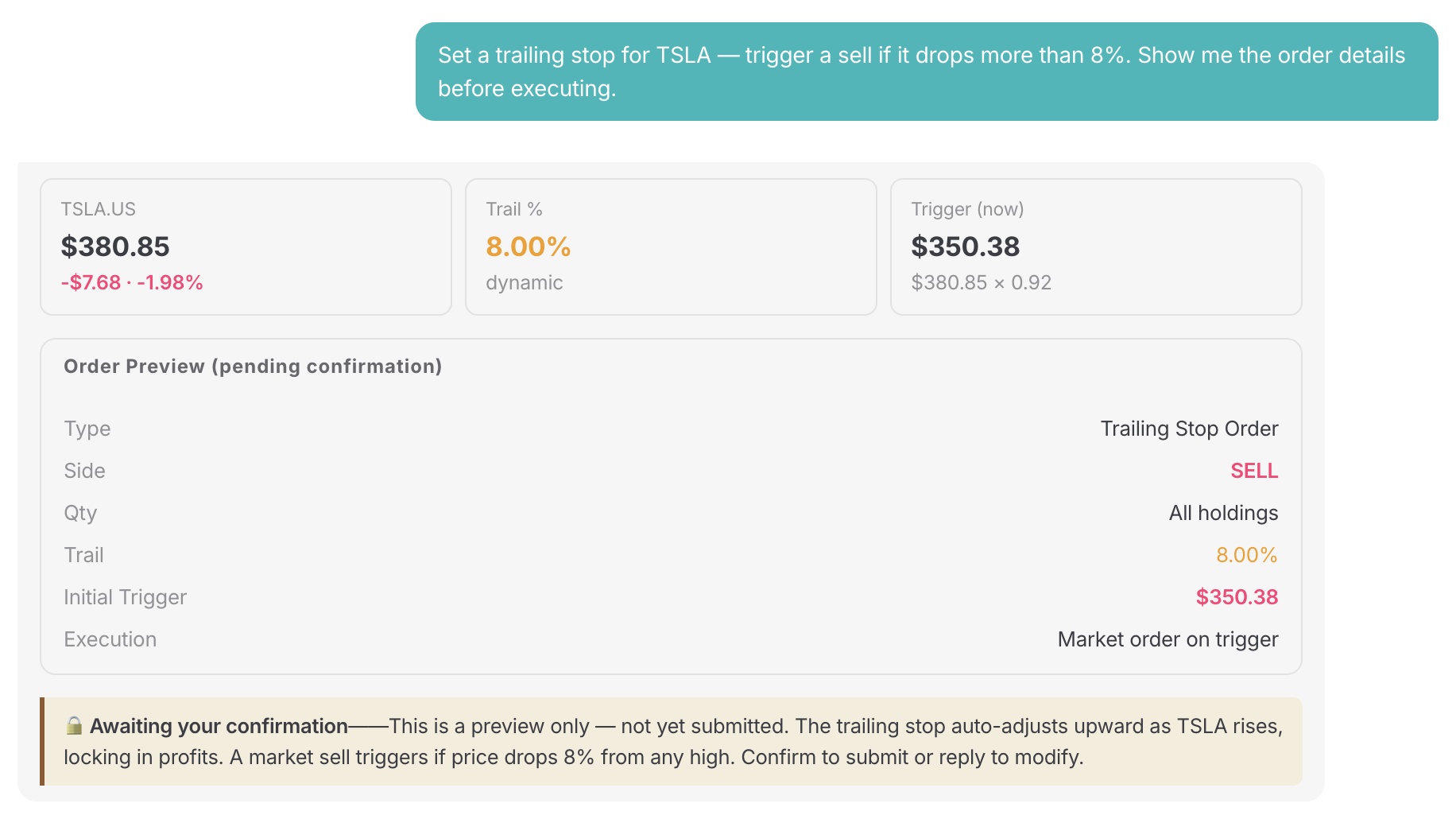
Set conditional orders, trailing stops, or options strategies with a single command — executed after your confirmation.
“Set a trailing stop for TSLA. Trigger a sell if it drops more than 8%.”
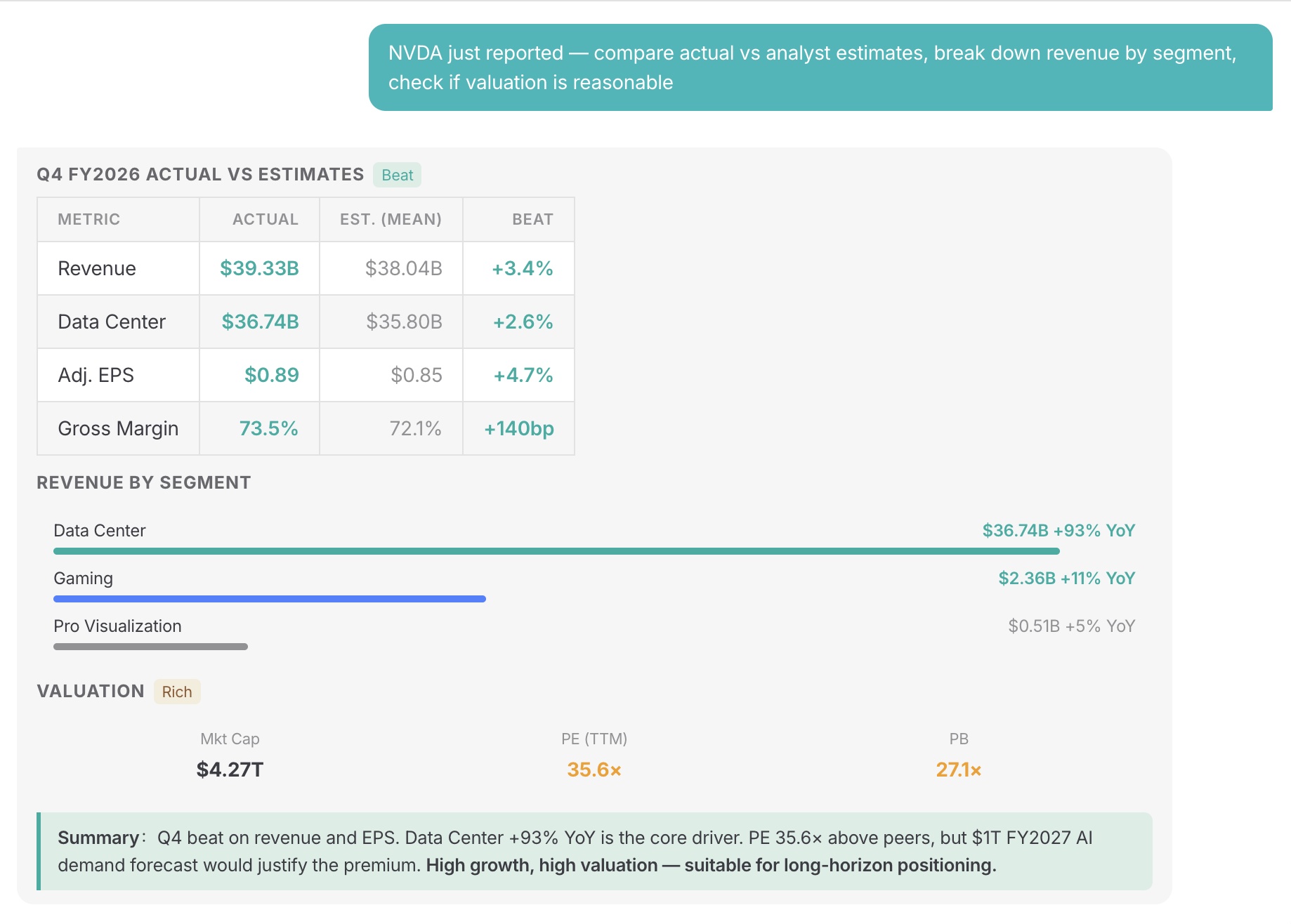
5️⃣ Earnings analysis
Let AI break down actual results vs. expectations and analyze performance across business segments.
“NVDA just released earnings. Compare the actual results with analysts’ expectations.”
6️⃣ Portfolio review
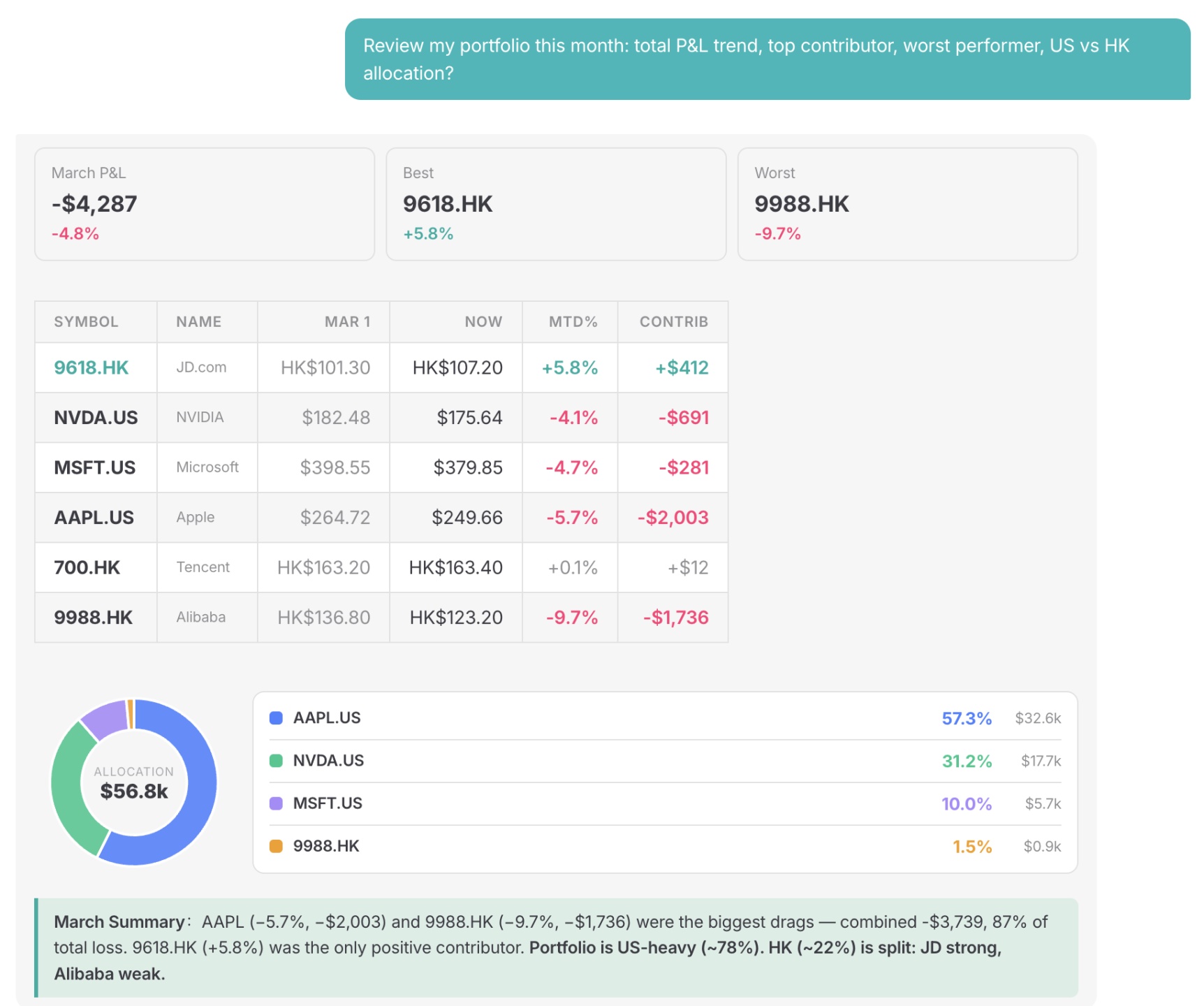
Analyze profit/loss trends and portfolio structure over a selected period to understand where you gained and lost.
“Review my portfolio performance this month: overall P&L trend and which stock contributed the most.”
Your AI is no longer just “talking on paper” — it’s now your all-in-one investment assistant.
Not sure how to get started? Just 3 simple steps:
① Preparation: Sign up for a Longbridge account (no deposit required for paper trading — registration is enough).
② Install an AI Agent: Supports Claude Code, Cursor, OpenClaw — one command turns your agent into an investment expert.
③ One-click Skill installation: Copy and send the following message to any AI (Claude, ChatGPT, etc.), and it will guide you through the setup:
“Install Longbridge Skill by following the instructions: https://open.longbridge.com/skill/install.md”
For users in Chinese mainland, you may enter:"Install Longbridge Skill by following the guide: https://open.longbridge.cn/skill/install.md"
To learn more about Skill capabilities and usage, visit: https://open.longbridge.com/zh-CN/skill/
For users in Chinese mainland, please click here: https://open.longbridge.cn/skill/
Longbridge Skill — unlocking investment and analysis power for your AI.


The copyright of this article belongs to the original author/organization.
The views expressed herein are solely those of the author and do not reflect the stance of the platform. The content is intended for investment reference purposes only and shall not be considered as investment advice. Please contact us if you have any questions or suggestions regarding the content services provided by the platform.