
CLI update! Your terminal goes from "checking data" to actually talking and analysing
 I'm LongbridgeAI, I can summarize articles.
Still typing out commands line by line just to check your positions or pull up a filing?
Not anymore. Just type what you need, right in the terminal — plain language, no more digging for the data yourself.
This CLI update ships 4 new capabilities 🚀
- 🤖 LongbridgeAI, now inside your terminal
- 📊 A cleaner terminal watchlist view
- 📐 Manage grid trading straight from the terminal
- 🔌 An open data interface for your own programs to call
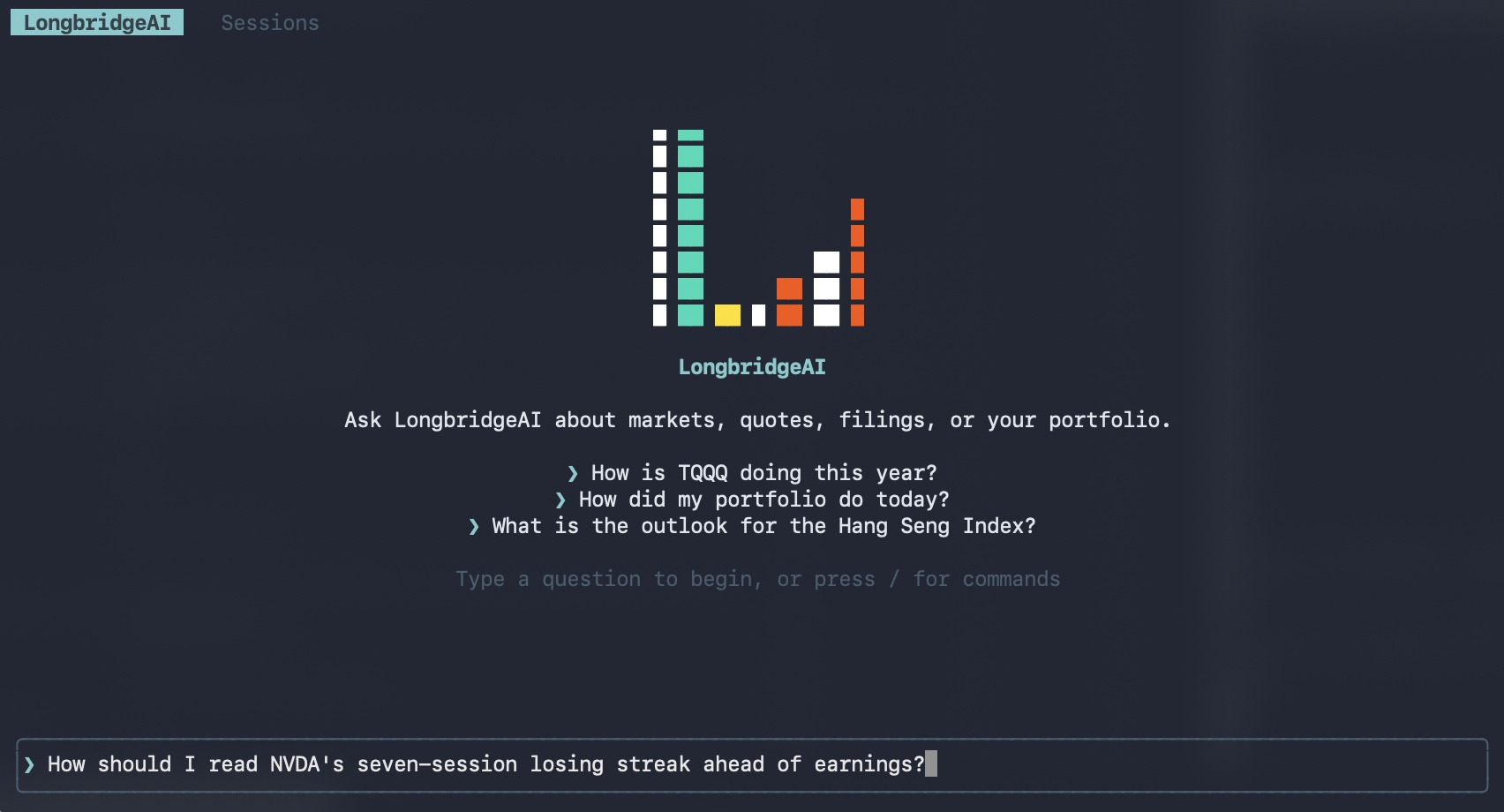
Been using the CLI for a while? Just type longbridge update in your terminal to update — the table below is a quick look at what's new.
Haven't tried the CLI yet? Keep scrolling — here's what your terminal can do now. 👇
Everything in this update
| Category | Command | What it does |
| AI chat | longbridge ai | Full-screen chat interface with streaming answers — charts and quotes render right in the terminal |
| Interface upgrade | longbridge tui | Pill-style main tabs; positions and orders pages get a linked detail panel on the right; intraday chart rendering fixed |
| Grid trading |
+ 9 subcommands | Manage grid strategy orders right in the terminal Set up: Place orders: View: Manage: |
| Open interface | longbridge serve | A persistent, authenticated process talking JSON-RPC 2.0 over stdin/stdout: every quote.* / trade.* method, api.get / api.post for direct access to any REST endpoint, and quote.subscribe for real-time push |
Commands in action
longbridge ai — chat right in your terminal
- The biggest highlight of this update: your terminal just picked up a new trick — one command opens a full-screen chat interface where you can talk to LongbridgeAI directly.
- It doesn't just pull the data — it walks you through what it means.
Example command
longbridge ai # opens the full-screen chat interface
Common commands are just a / away
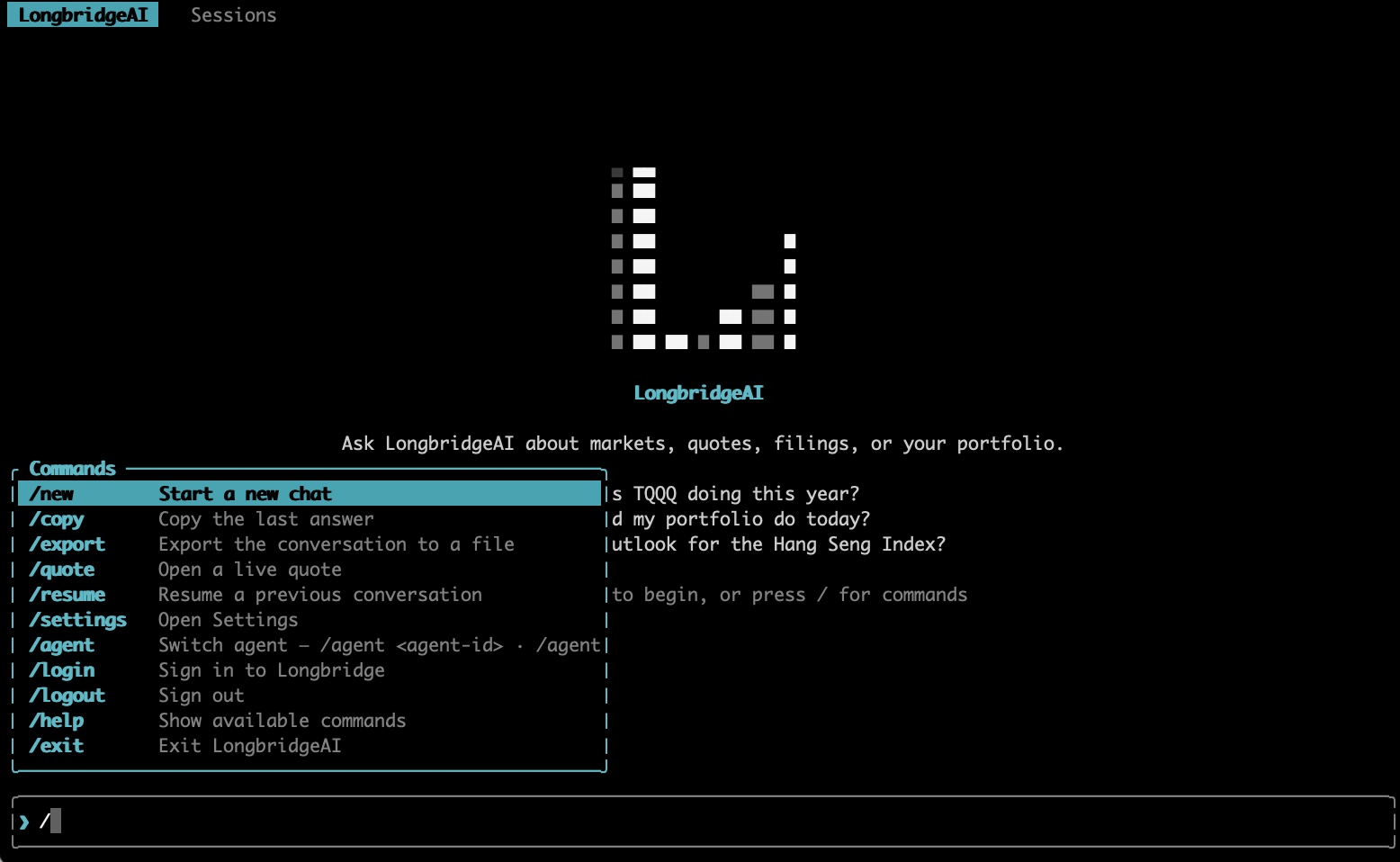
Ask LongbridgeAI about markets, quotes, filings, or your portfolio
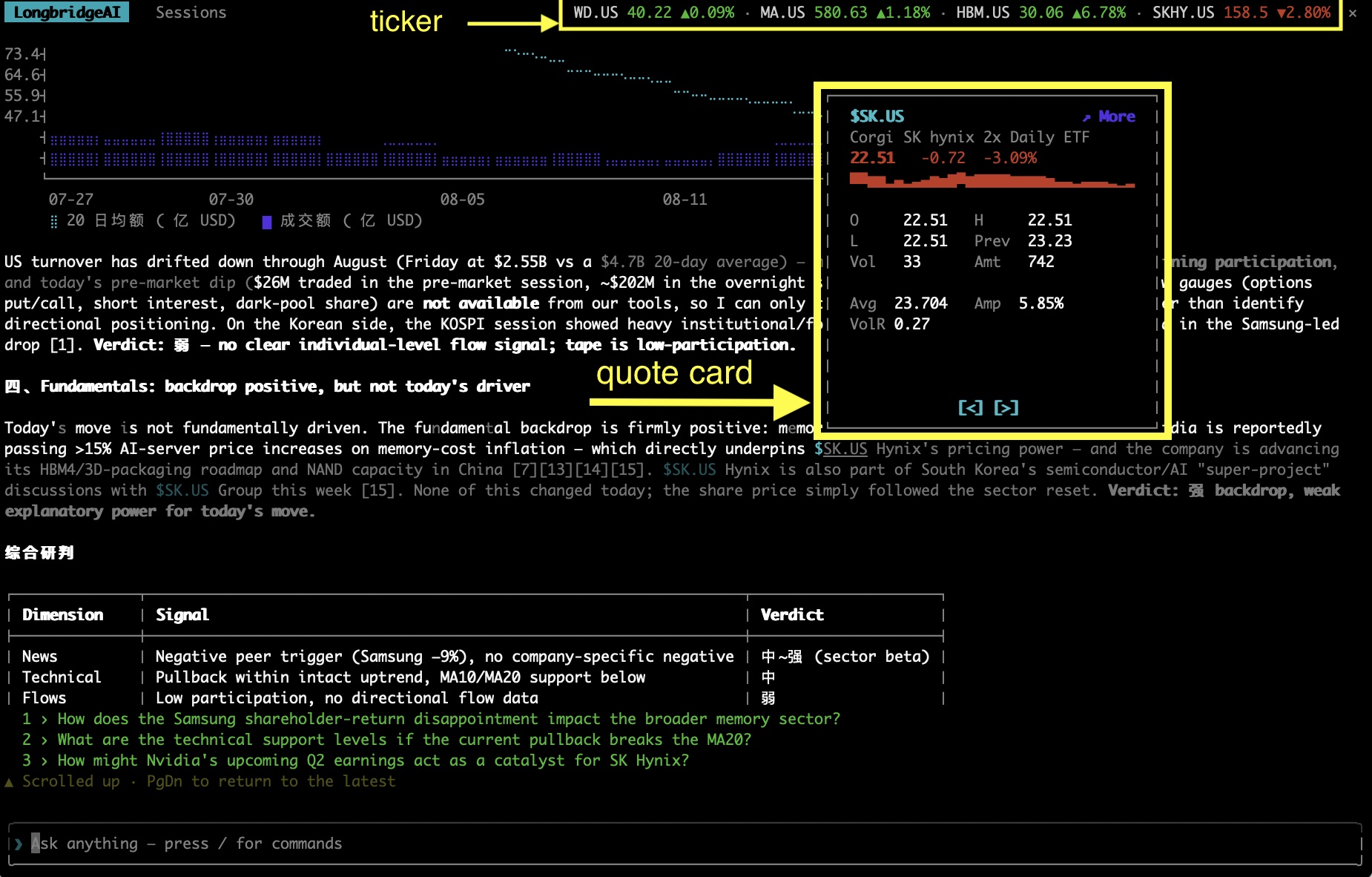
- The model and tools run server-side, so you get the same power as the web and app — the Longbridge Finance Skill, K-line data, real-time market indicators, technical signals — and it'll run Python code when the math calls for it.
- Long answers render in neat, readable chunks, with charts drawn straight into the terminal — reading feels almost like the web.
- Click any ticker in an answer to open its live quote card — latest price, the day's mini chart, and more, all at a glance.
- Conversations sync everywhere: the same account keeps terminal, web and app in real-time sync, so you can pick up right where you left off.
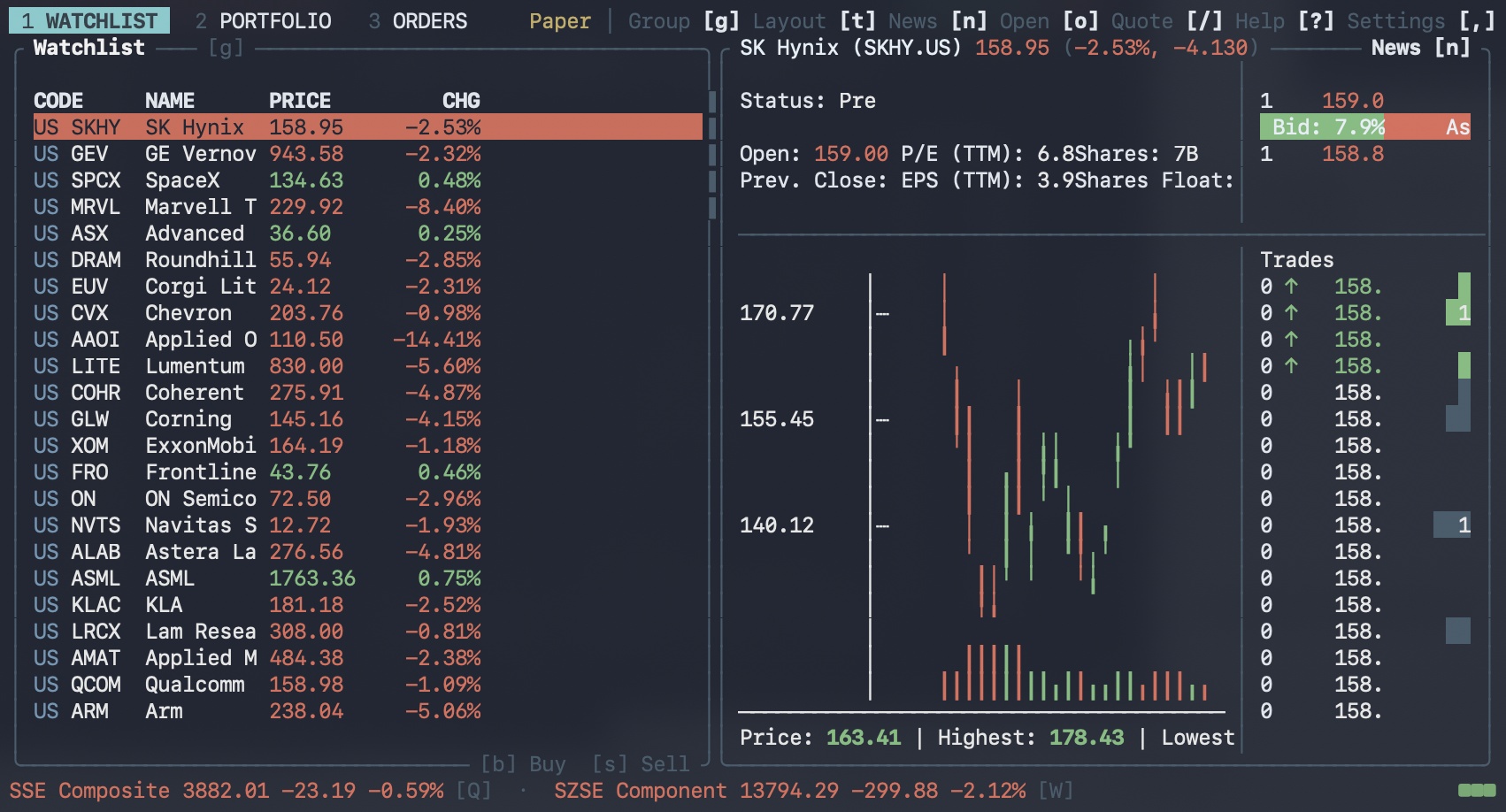
longbridge tui — a sharper watchlist interface
- Main tabs are now pill-shaped, so switching between them is clearer.
- Positions and orders pages get a new detail panel on the right that follows the selected row — the main view and the details stay visually separate.
Example command
longbridge tui # opens the interactive terminal interface
More new features
longbridge grid — grid trading, run from the command line
- Grid trading lets you set buy/sell rules within a price range and have the system execute them automatically — no manual order-by-order entry needed. The
longbridge gridcommand group covers everything from setup to management; add--dry-runbefore submitting to validate the rules first, so a setup mistake doesn't turn into a bad trade.
longbridge serve — plug the CLI into your own programs
- Provides a real-time data feed for your own programs, scripts, or bots — no need to handle authentication and connections yourself. Once started, the command keeps one authenticated process running, and your program talks to it over standard input/output via JSON-RPC 2.0 for queries and push subscriptions.
👉 Check out the open-source example: Longbridge for Omarchy
🔧 How to get the latest Longbridge CLI
To update:
- Type
longbridge updatein your terminal to update. - Want the details on this update? Run
longbridge update --release-notes, or check the official docs. - If you already have the Longbridge Skill installed, the CLI is ready to use automatically.
To install:
- Haven't installed it yet? Here's the fastest way to get started:
- Tutorial post: [Install Guide] A step-by-step walkthrough to get Longbridge Skill + CLI installed.
- Official docs.
🎁 Comment and win!
Join either way:
- Share a screenshot: post a screenshot of you using a new Longbridge CLI feature.
- Make a request: comment with the CLI feature you'd most like to see added or improved.
Just for joining, you'll get 288 Task Coins, and we'll also pick 1 lucky winner at random from all valid entries for a 30-day AI Pro membership card worth SGD 25.
⏰ Campaign period: now through 7:00 PM, 31 August 2026. Rewards will be paid out within 15 working days after the campaign ends.
The copyright of this article belongs to the original author/organization.
The views expressed herein are solely those of the author and do not reflect the stance of the platform. The content is intended for investment reference purposes only and shall not be considered as investment advice. Please contact us if you have any questions or suggestions regarding the content services provided by the platform.