
SKILL Workshop | US & HK stock moves, one radar, one screen
 I'm LongbridgeAI, I can summarize articles.
SKILL Workshop · Issue 4 · Breakout & Anomaly Radar
The market throws off anomalies every single day — watching each one by one just isn't realistic.
Try the workshop's newest build: the Breakout & Anomaly Radar 📡
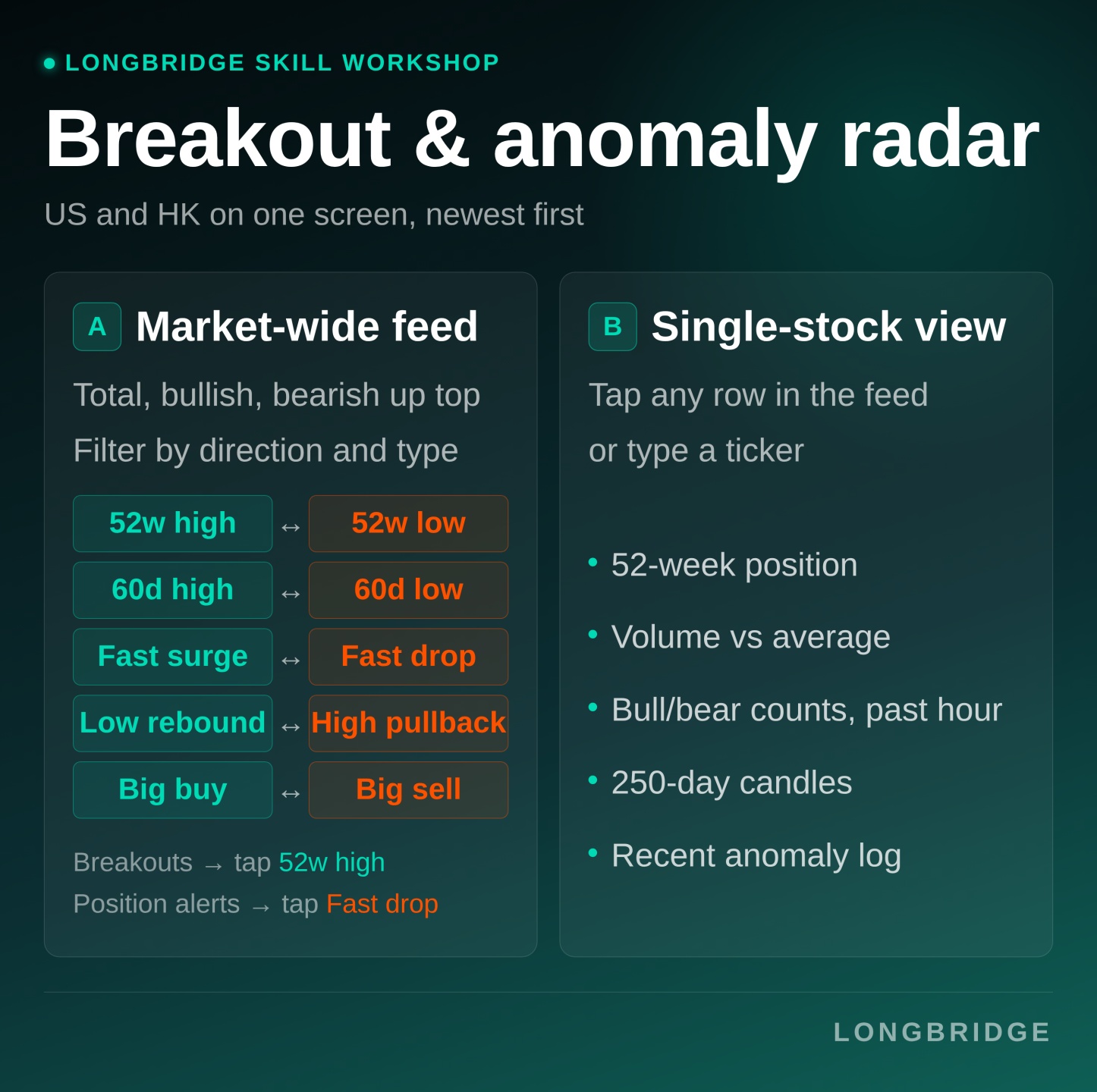
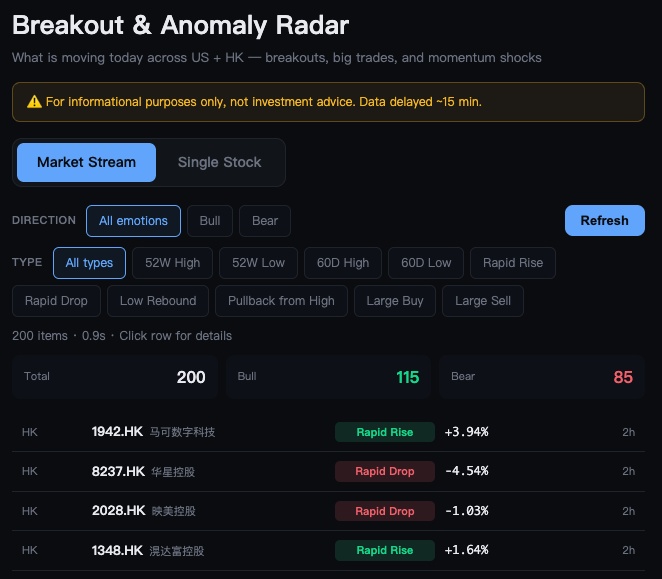
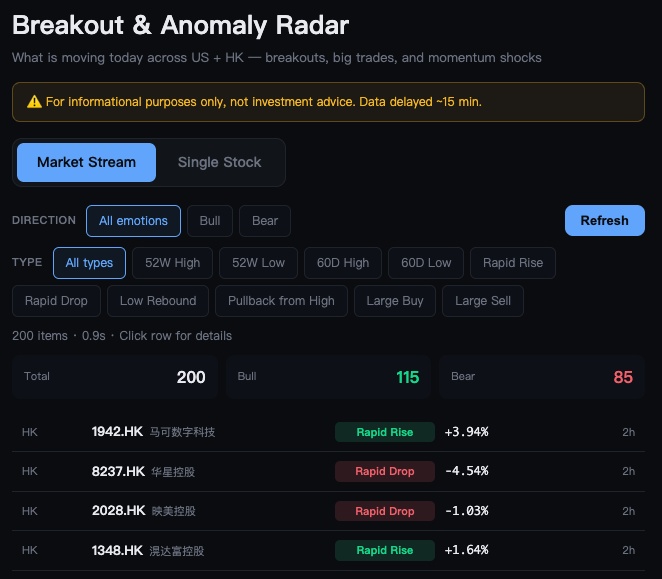
1️⃣ Market-wide anomaly feed — new highs and lows, fast surges and drops, big buys and sells across the whole market, 10 signal types on one screen!
2️⃣ Single-stock view — 52-week position, volume, and recent anomalies, everything on one ticker laid bare
10 signal types — half for catching upside, half for guarding against downside
Every line in the feed falls into one of these 10 signal types:
5 bullish types — fast surge, low rebound, large buy, 52-week high, 60-day high
5 bearish types — fast drop, high pullback, large sell, 52-week low, 60-day low
The bullish/bearish label is decided by the data itself — not by us.
Track a single ticker
Want to dig into one? Switch to Single-Stock View and its data lays out on one screen
- Recent anomalies: every anomaly this ticker has triggered lately, listed by time
- 52-week position: where the current price sits within the past year's high-low range, and how far it is from each
- Volume: today's volume as a multiple of the 20-day average, and where that ranks
- Last-hour heat: how many bullish and bearish signals fired in the past hour
- 250-day candles: plotted against 52-week high/low lines, so the trend reads at a glance
Coverage
US stocks: full coverage of all 10 signal types, complete 52-week data.
HK stocks: same coverage — anomalies run hotter during market hours.
A-shares, Singapore and other markets aren't supported yet
Intraday, today's candle isn't finished yet, so volume falls back to the previous session as the baseline — labelled “as of yesterday's close.”
Breakout & Anomaly Radar · installed in 3 steps
Prerequisite: Longbridge Skill (CLI) needs to be installed first — only then can this .skill package be downloaded and run.
1️⃣ Tap the download link to get the ZIP package (no need to unzip — import it straight into your AI assistant)
2️⃣ Open your AI assistant, find Skill Center / Plugin Center → tap Import → select the package. Or just drag the ZIP straight into the chat box and follow the prompts.
3️⃣ Send “Open Breakout & Anomaly Radar,” and your browser opens it automatically.
Longbridge Skill · how to install:
For a step-by-step walkthrough: Skill tutorial, official install guide
⚠️ A Skill only runs inside a supporting assistant like Claude — the .skill package itself can't be opened on its own.
🎁 Comment to win!
Join either way:
- Share a screenshot: post a result you got from running the Breakout & Anomaly Radar
- Request one: tell us what tool you'd most want the Skill Workshop to build next
Every valid entry gets 288 task coins. We'll also draw 1 winner at random from all valid entries to receive an AI Pro membership card worth SGD 25.
Campaign period: from today until 7pm on 10 September 2026. Rewards will be issued within 15 working days of the campaign closing.
This tool is for research and educational purposes only and does not constitute investment advice. Longbridge reserves final interpretation rights.


The copyright of this article belongs to the original author/organization.
The views expressed herein are solely those of the author and do not reflect the stance of the platform. The content is intended for investment reference purposes only and shall not be considered as investment advice. Please contact us if you have any questions or suggestions regarding the content services provided by the platform.