How to complete FPS transfer deposit? (HSBC)

Faster Payment System (FPS) is a rapid payment system launched by the Hong Kong Monetary Authority. It features instant interbank transfers and is mostly fee-free. Below is a guide on how to deposit funds into Longbridge App via FPS.

Process of deposits via FPS

Step 1. Go to the Longbridge App > Portfolio > Deposit > FPS, and copy the FPS ID.

Longbridge FPS ID169152691
Beneficiary bankIndustrial and Commercial Bank of China (Asia)
Beneficiary nameLong Bridge HK Limited

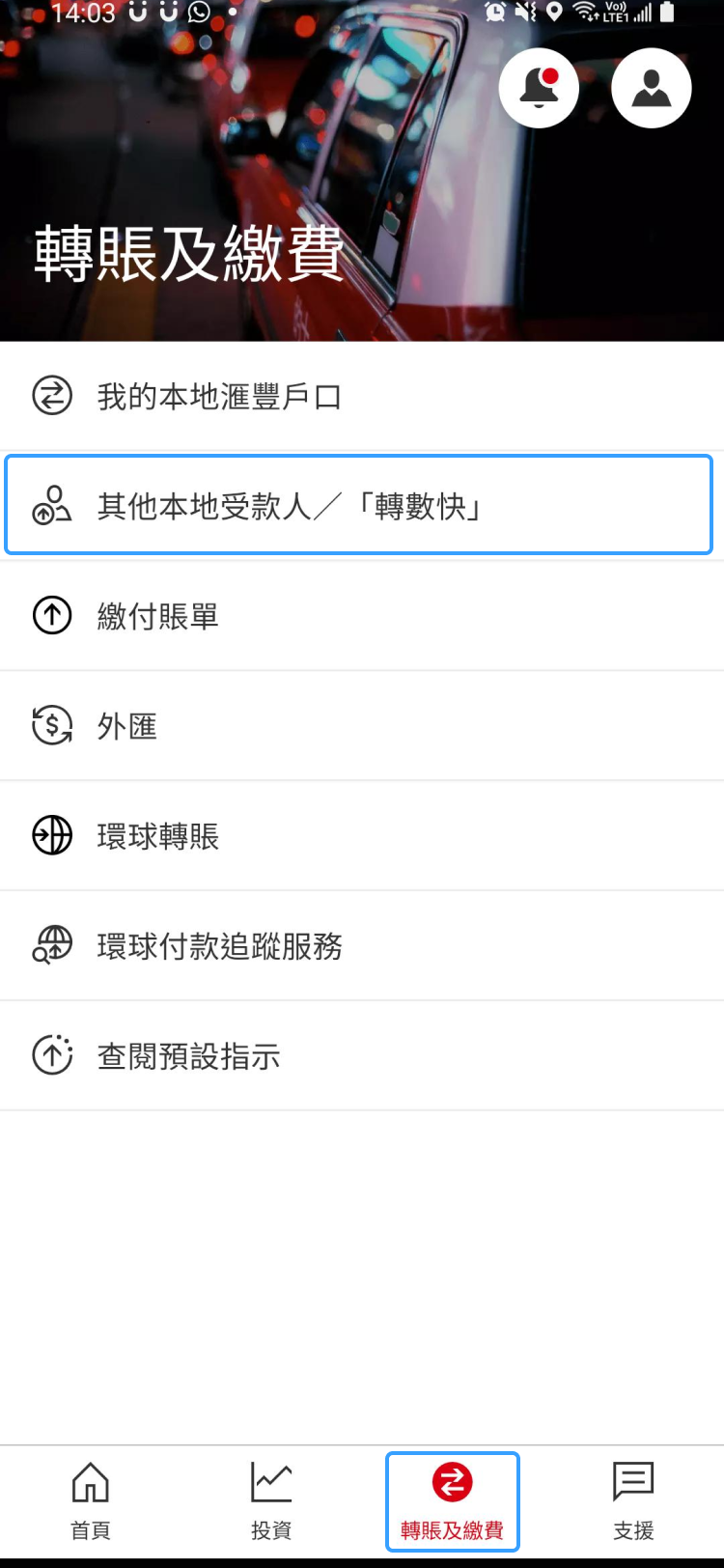
Step 2. Go to the HSBC Bank App > Pay & Transfer > Other local payees/FPS to select the beneficiary.

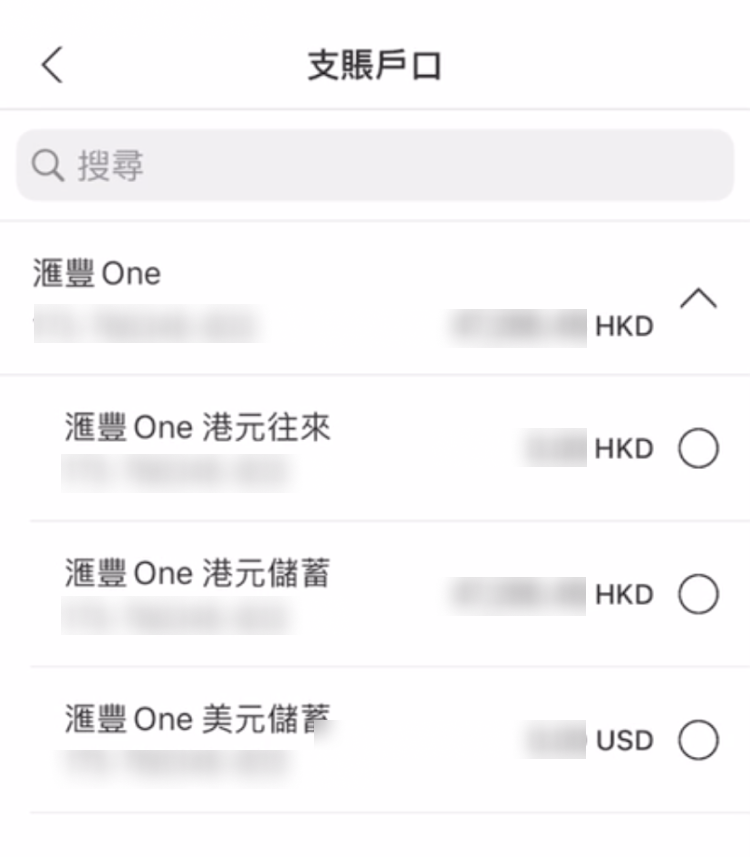
Step 3. Select the bank account you wish to transfer from.

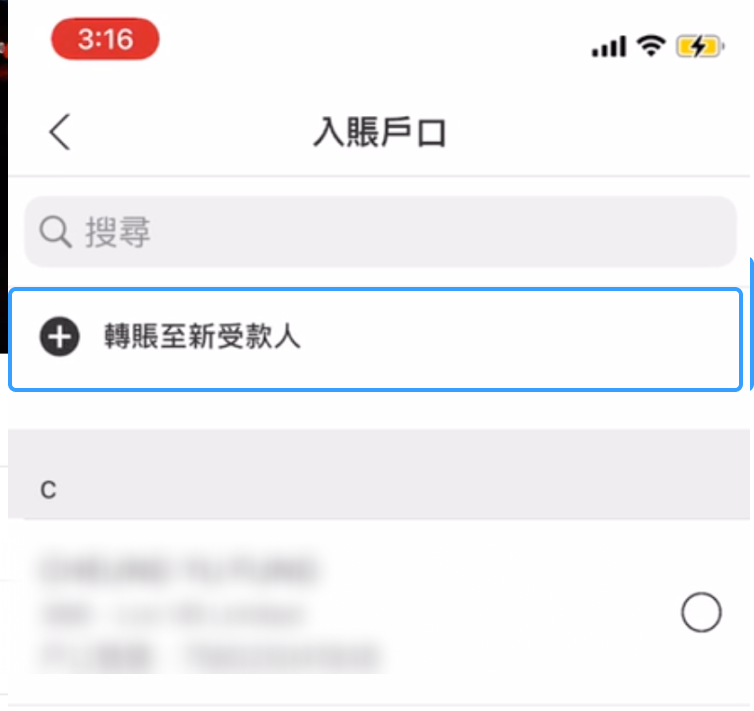
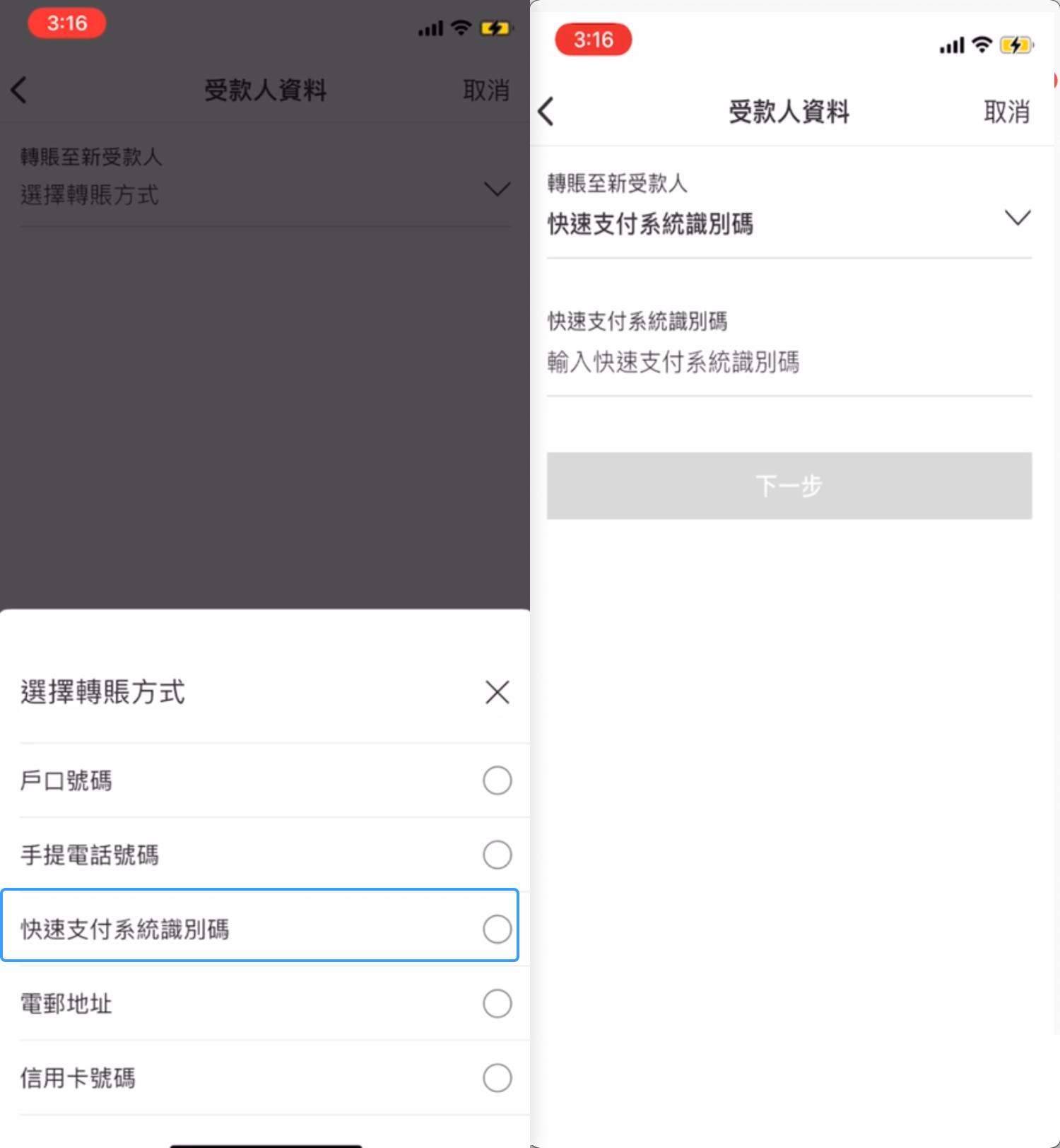
Step 4. Click Pay someone new > Select a method. After the drop-down box is displayed, click FPS ID and enter the FPS ID.

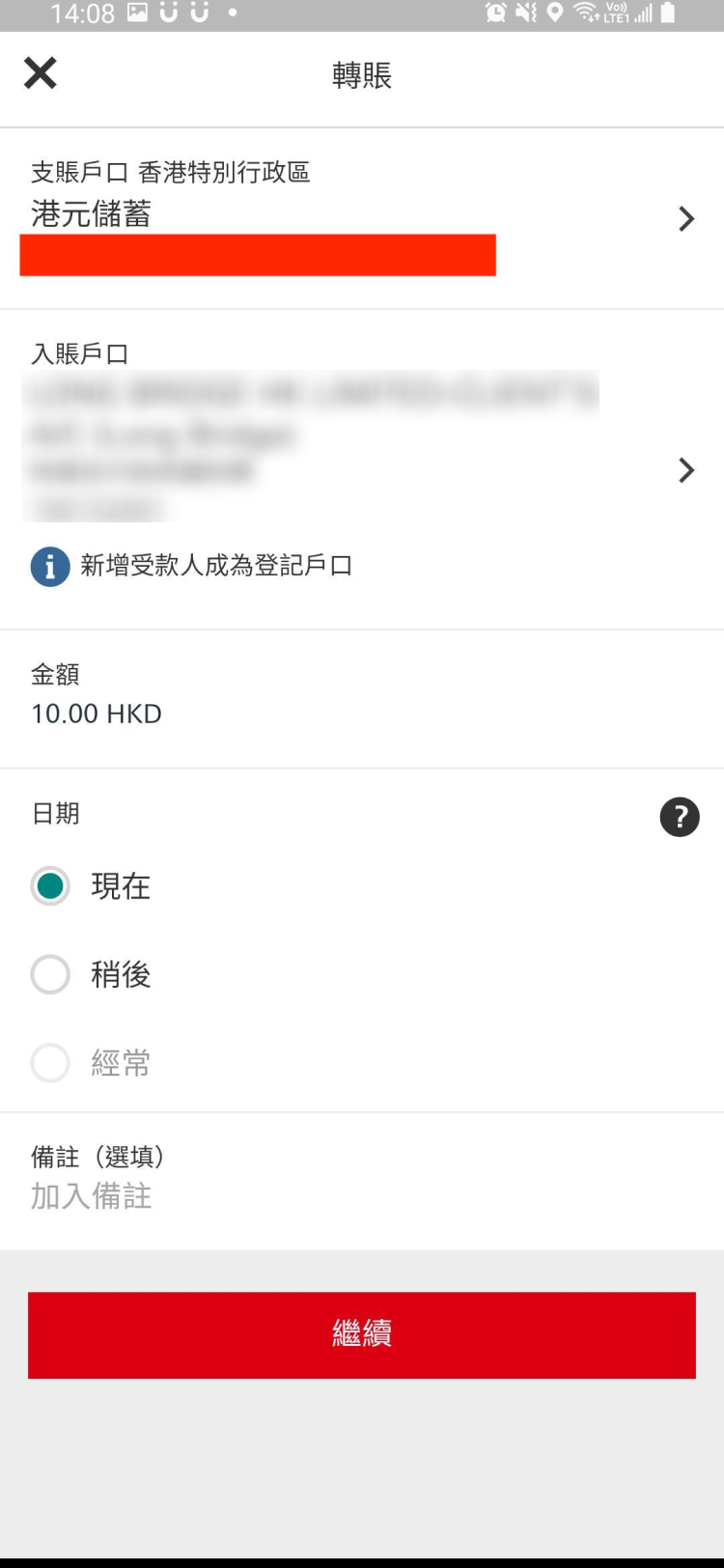
Step 5. Go to the next page, enter the amount you want to deposit, and click Continue. Check the information and submit.

Step 6. If the system prompts "Your instruction has been received", the transfer has been completed.

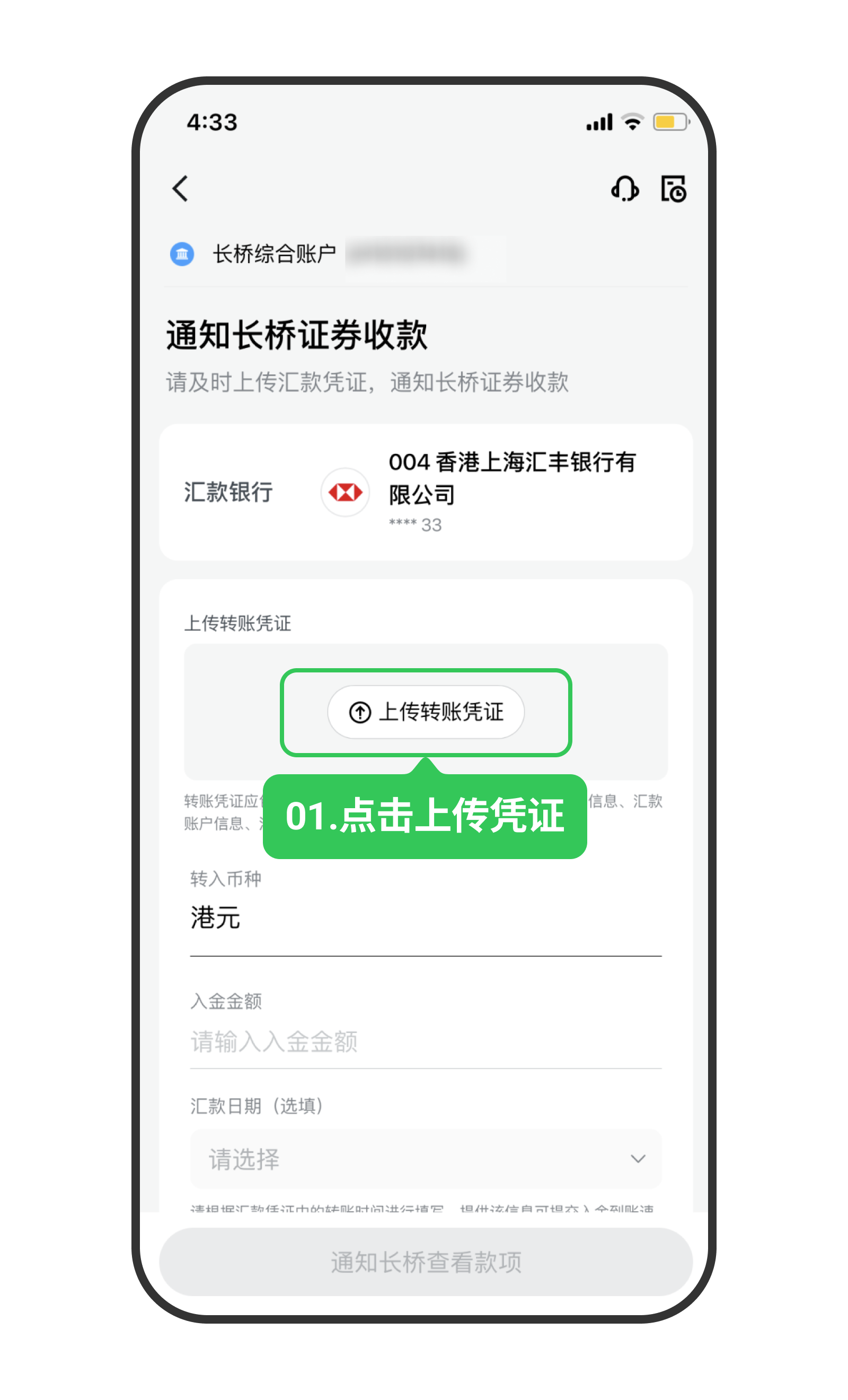
Step 7. Go to the Longbridge App > Portfolio > Deposit, select the deposit currency and bank information, choose FPS, and upload the proof of remittance.

Note: Please upload the proof of remittance and transfer amount immediately after completing the transfer to avoid delays in deposit processing.

Notes

1.Arrival time:

FPS currently only supports HKD deposits. The arrival time is as follows:

Deposit initiation timeExpected arrival time
Hong Kong stock trading days (Monday 09:00–Friday 23:59)Within 2 hours
Other periodsBefore 09:40 on the next Hong Kong stock trading day

2. Transfer fees:

Most banks and stored value payment tools currently do not charge fees, but some institutions may impose charges. Fees are subject to change, so please consult your bank for details. Longbridge does not charge any fees.

3. Transfer limit: Longbridge does not impose any limits for deposits via FPS. Please check if your bank has any transfer limits.

Precautions

  1. Currently, Longbridge only supports HKD deposits via FPS.
  2. The name on the bank account used for the transfer must match the name on your Longbridge account. You cannot use another person's bank account for transfers. Any refund fees incurred due to non-compliance will be borne by you.
  3. After you complete the transfer, FPS will instantly transfer the funds to the Longbridge beneficiary account. However, manual approval is required before the funds are deposited into your securities account.
  4. It takes time for the bank to process the transfer. Bank notifications stating "transfer initiated" do not indicate immediate receipt by Longbridge. Settlement and approval are required after the funds arrive in Longbridge. Banks and Longbridge do not process transfers during Hong Kong public holidays. Please allow sufficient time for processing.
  5. Longbridge currently does not accept cash deposits.

Disclosures

The above guide screenshots are provided by users and are for reference only.

If there are any discrepancies between the screenshots and the actual interfaces, the actual bank interfaces shall prevail. Please confirm the content to be filled in with the bank. Longbridge shall not be held liable for any losses resulting from the use of this guide. For your convenience, this guide may contain links to third-party websites. Longbridge takes no responsibility for the content of any websites linked to or from this site.

Furthermore, Longbridge makes no warranty (either express or implied) regarding the accuracy, legality, reliability, or validity of the content of any other websites.