


Redesigning the Browser! Microsoft adds AI Agent to Edge for automated search, prediction, and integration

Microsoft announced on July 28 that it has added Copilot mode to the Edge browser, aiming to reshape the user browsing experience. This mode acts as a multi-level hybrid intelligent agent that can automatically perform searches, integrate information, and provide comparative results. The Copilot mode also features innovative functions for tab filtering and understanding user intent, and it can view all open tabs to gain a comprehensive understanding of the user's online activities
Early this morning, Microsoft announced on its official website the addition of Copilot mode in the Edge browser, reshaping the way browsers are used.
Copilot mode is more like a multi-level hybrid intelligent agent function; you just need to state your question, for example, finding a three-bedroom, two-bathroom apartment in downtown Los Angeles with a monthly rent not exceeding $5,000. Copilot mode will automatically perform searches, integrate, and provide final comparison results.
Additionally, Copilot mode offers tag filtering and an innovative feature for understanding intent.
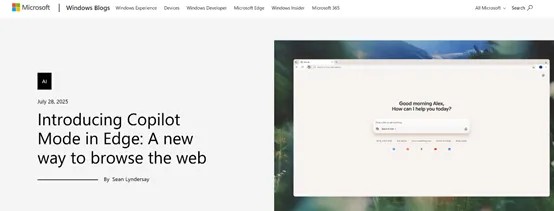
For decades, the way we use browsers has mostly been fixed and tedious, opening 30 or 40 tabs and then slowly sifting through the content of these tabs, which is very time-consuming and energy-draining.
Microsoft hopes to automate these operations through Copilot mode and further enhance daily work efficiency through the understanding and integration capabilities of the AI Agent.
When enabling Copilot mode, users will see a clean, streamlined page when opening a new Edge tab, featuring only one input box that integrates chat, search, and web navigation functions. Copilot can understand user intent and help users start operations more quickly.
Copilot mode can also view all open tabs, providing a comprehensive understanding of the content users are exploring online. For example, when researching vacation rentals on multiple websites, users can chat with Copilot to quickly determine which option is closest to the beach and equipped with a full kitchen, saving time and reducing steps.
Copilot mode also supports natural voice navigation, allowing users to directly express their needs to Copilot, whether it's finding information on a page or asking Copilot to open several tabs to compare product options. Users just need to state their needs, and Copilot will help reduce clicks and inputs, completing operations faster.
In the future, users will also be able to authorize Copilot to access more contextual information from the browser, such as history and credentials, enabling Copilot to perform more advanced and seamless personalized automation tasks.
For example, users can simply say, “Help me find a paddleboard rental near my workplace,” and Copilot will not only find the best options but also check the weather, complete the booking, and even recommend sunscreen or instructional videos to help users prepare.
Users can also call Copilot at any time on any webpage without losing their current page position. Whether converting measurement units in a recipe or translating content, Copilot will appear in a dynamic panel while keeping the original page visible. This helps reduce distractions from pop-ups and lengthy blog posts, allowing users to obtain the information they need more quickly The Copilot mode can guide users in completing tasks and organize their browsing history into themed journeys, providing suggestions for next steps, helping users stay focused and drive project progress.
For example, if a user is researching how to start an online business, Copilot can recognize this and provide relevant insights, such as recommending tutorial videos to help users explore different website building methods.
Privacy and security are always a top priority for Microsoft. Microsoft only collects data used to improve user experience or data provided by users through personalized settings, with users always in control.
In the Copilot mode of Edge, user data is protected by Microsoft's trusted privacy standards, which are designed to ensure that user information is secure, not shared, and never disclosed without permission. Users' browser data will be processed and protected according to Microsoft's privacy statement, and there will be clear visual indicators when Copilot is viewing or listening.
Users can also turn Copilot mode on or off at any time through Edge settings. If users do not wish to enable Copilot mode, they can continue to use Edge to browse the web as usual.
Currently, the Copilot mode in Edge is available for free to users, and the feature will continue to be iterated and strengthened.
AIGC Open Community, original title: "Redefining the Browser! Microsoft Adds AI Agent to Edge, Automating Search, Prediction, and Integration"
Risk Warning and Disclaimer
The market has risks, and investment requires caution. This article does not constitute personal investment advice and does not take into account the specific investment goals, financial situation, or needs of individual users. Users should consider whether any opinions, views, or conclusions in this article align with their specific circumstances. Investing based on this is at one's own risk
