
How to Install the Longbridge Skill and CLI on MiniMax Desktop
Install and authorize Longbridge Skill and CLI on MiniMax Desktop in minutes, enabling your AI agent to access real-time market data and build AI-powered trading strategy workflows—no VPN required.
If you are using MiniMax Desktop to build or run an AI trading bot, this guide will walk you through installing Longbridge Skill and Longbridge CLI so your Agent can access real-time market data and perform AI-driven trading-strategy analysis.
Whether you are a developer or a general user, this article provides clear, copy-and-paste-ready steps so you can finish the installation in just a few minutes.
Note: MiniMax Desktop can be used without connecting to a VPN.
Pre-installation Requirements
A Longbridge account (new users can register during the authorization step)
MiniMax Desktop (installed and running properly; using the default MiniMax-M2.7 model is recommended)
Longbridge Skill installation guide URL: https://open.longbridge.com/skill/install.md
Installation Steps
1. Create a Local Working Directory
Create a new folder named Longbridge on your local computer (location is flexible; placing it under your user home directory is recommended). Open MiniMax Desktop and select this folder as the working directory.
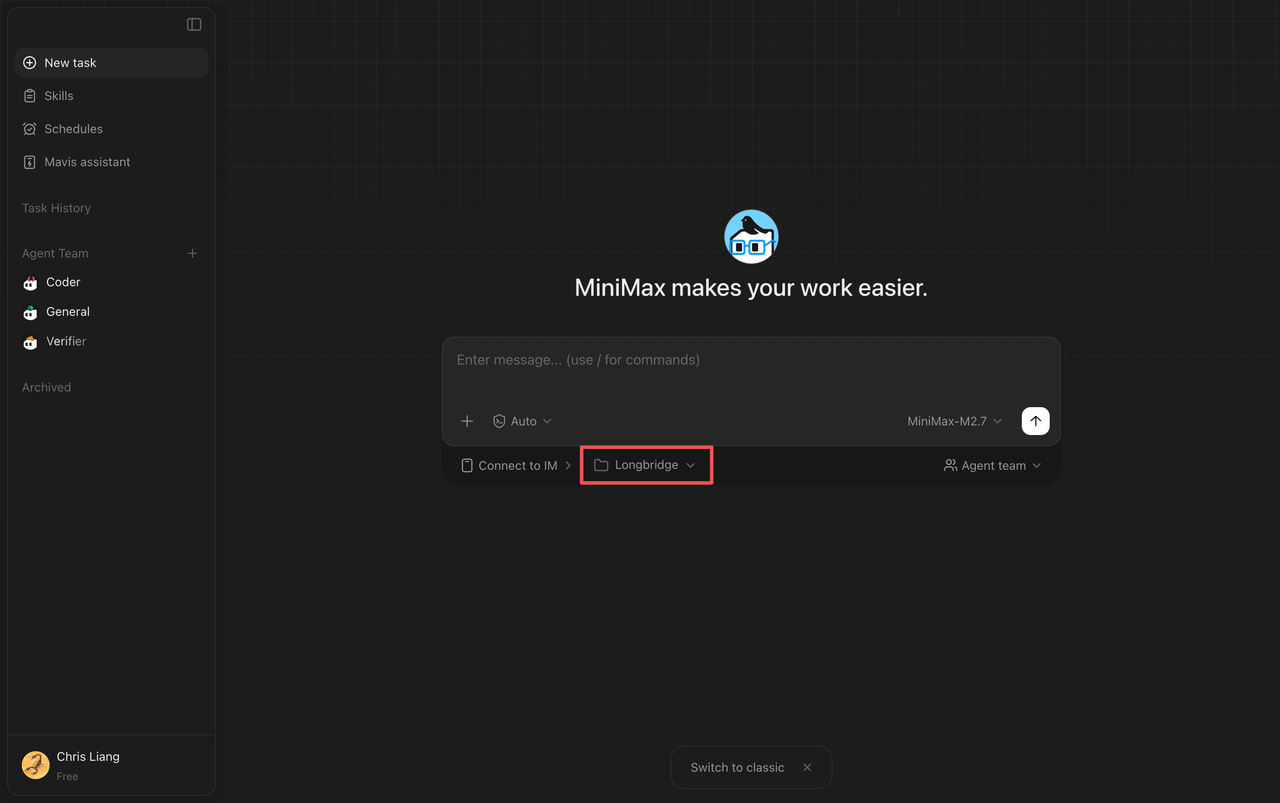
2. Install the Skill and CLI
Paste the following command into the MiniMax Desktop chat box (the default MiniMax-M2.7 model is sufficient):
Install Longbridge SKILL according to the guide: https://open.longbridge.com/skill/install.md
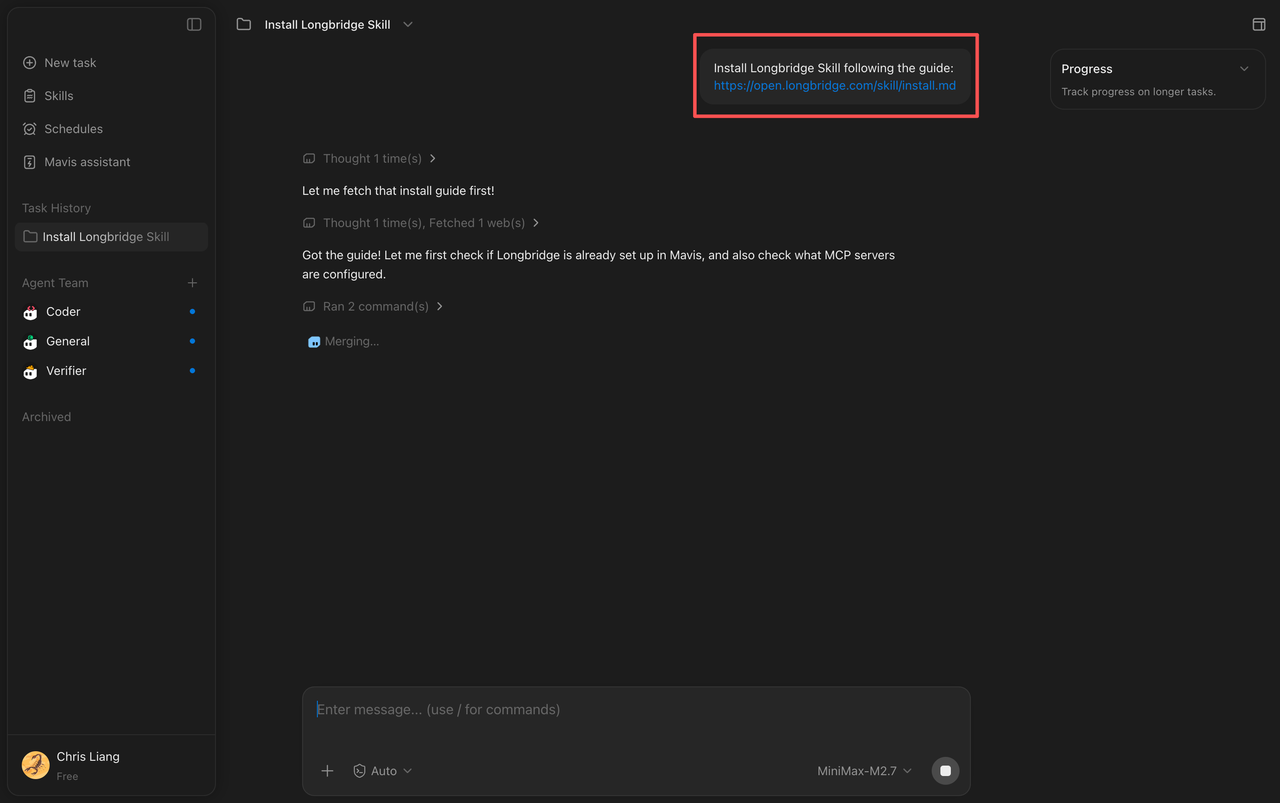
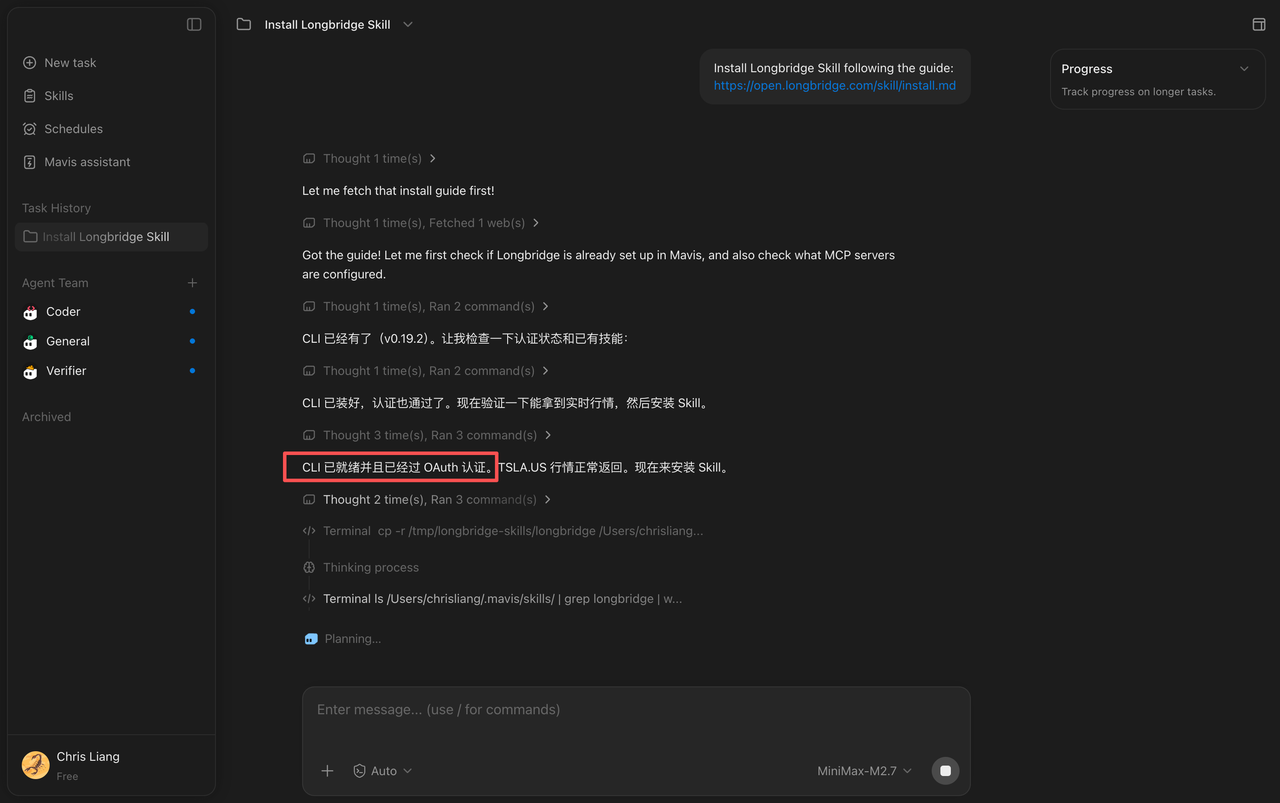
If installation has already been completed locally, the Agent will confirm: “CLI is ready and has passed OAuth authentication.” For new users, your browser will automatically open the Longbridge registration and login page—follow the prompts to complete sign-in.
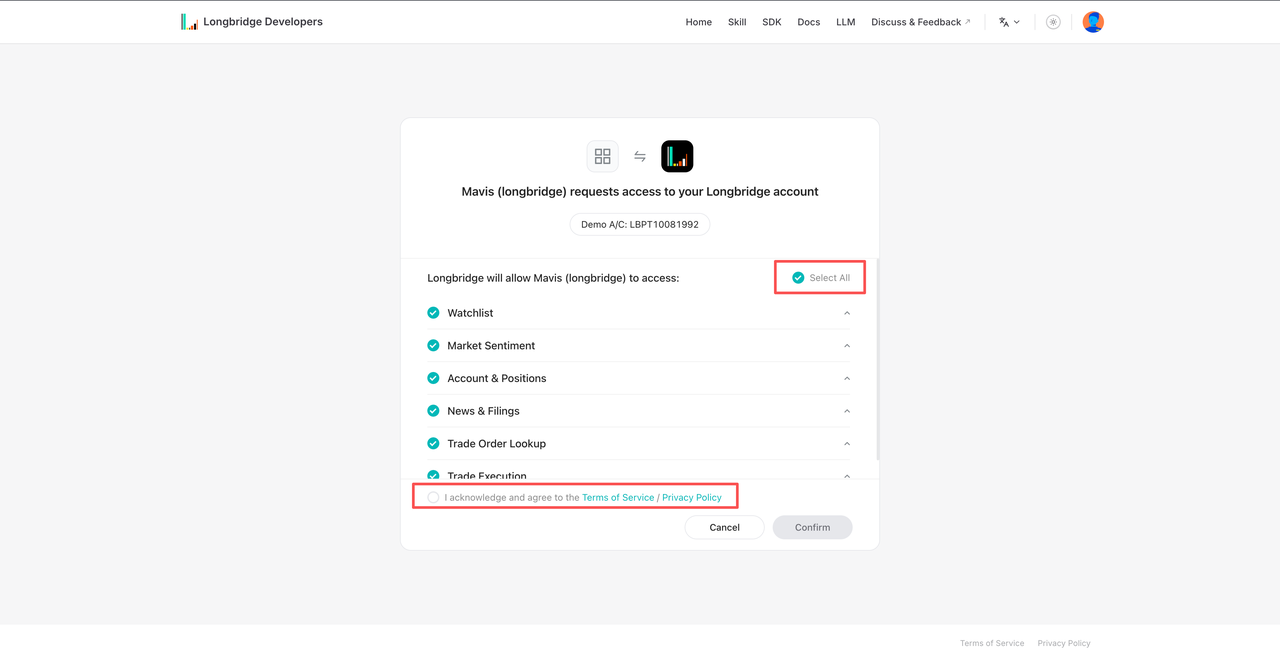
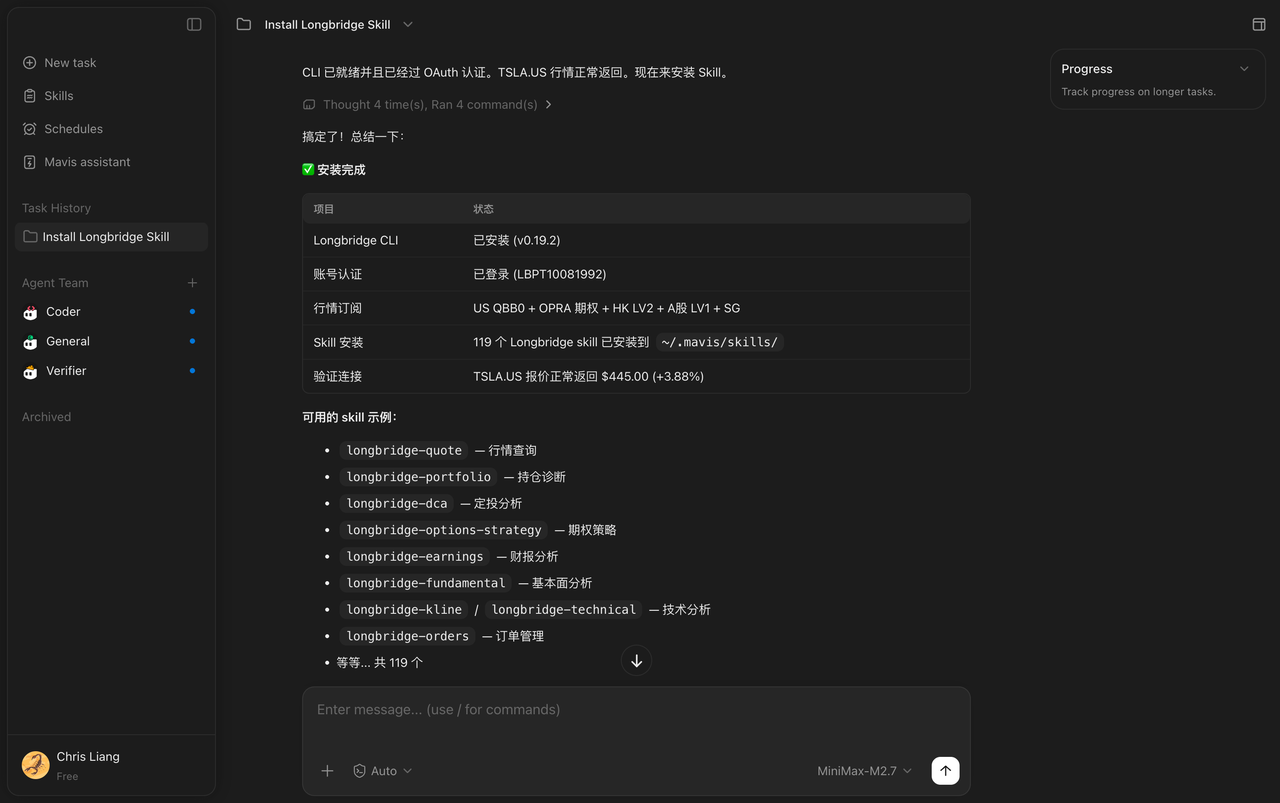
3. Test the Functionality
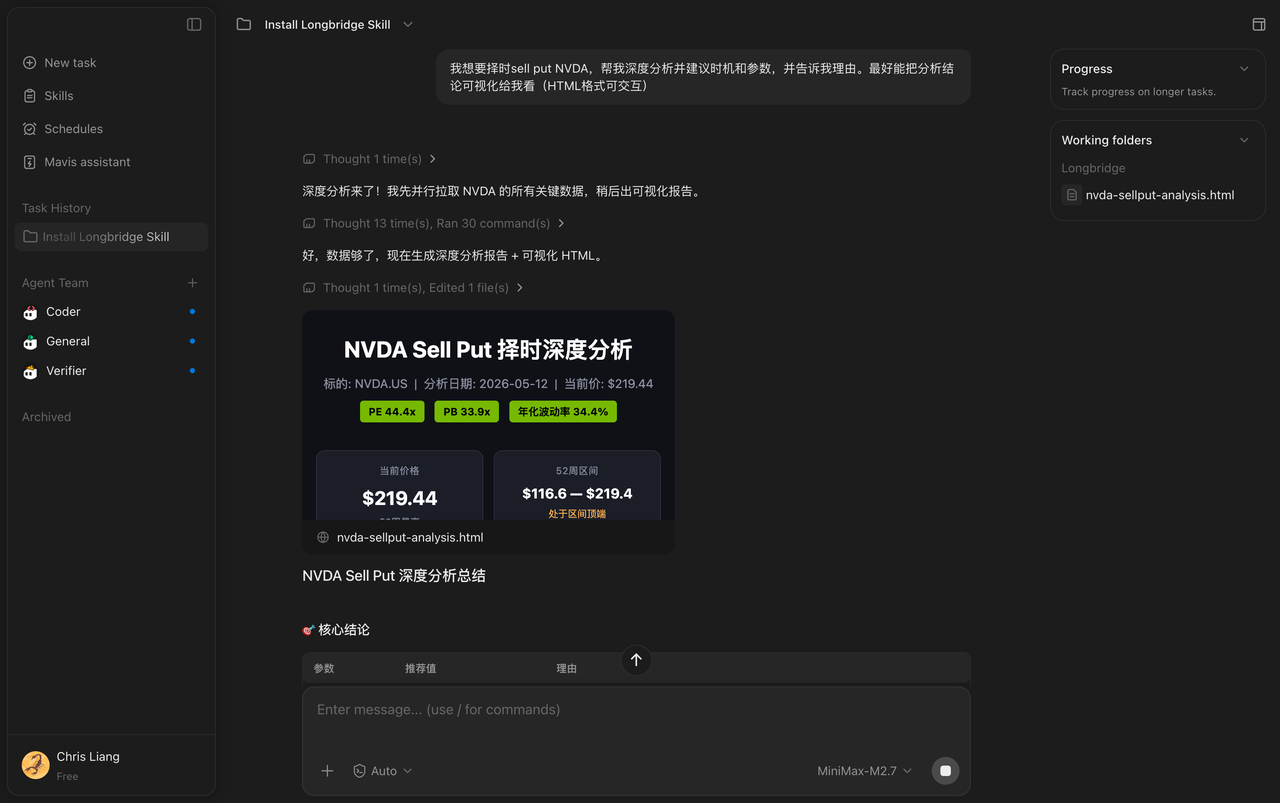
After installation, you can try the following demo command to confirm everything is working properly:
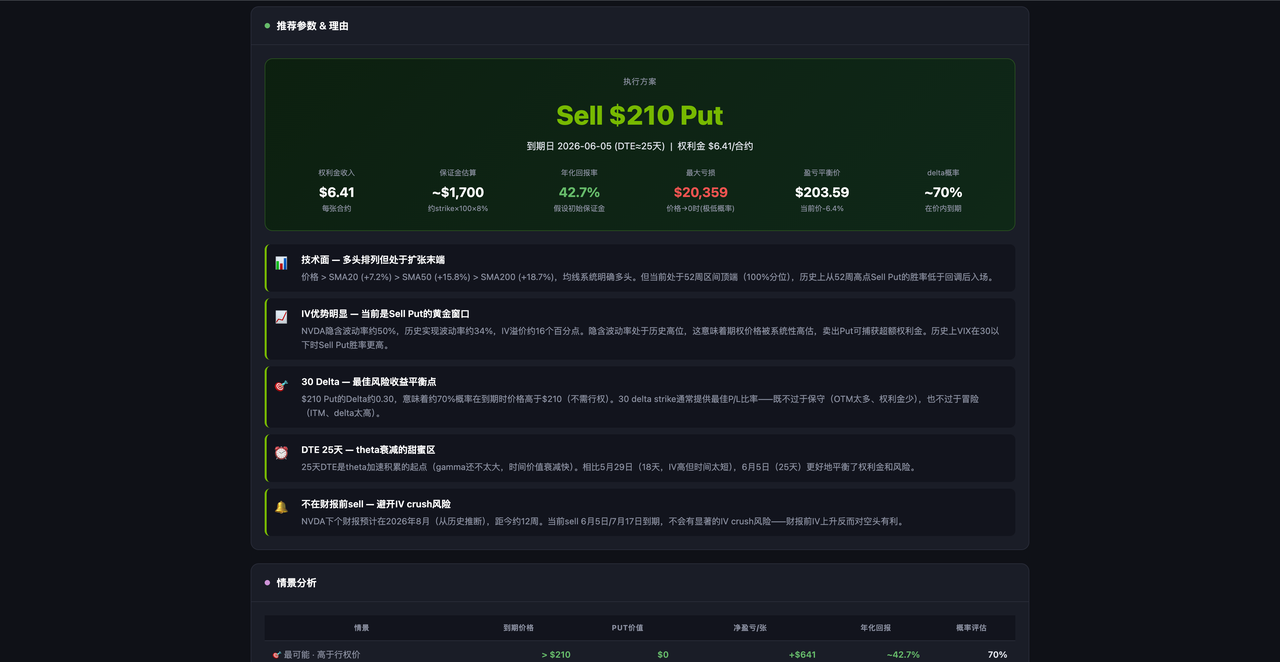
I want to time a sell put on NVDA. Please provide an in-depth analysis, recommend timing and parameters, and explain your reasoning. Ideally, visualize the analysis conclusions for me (interactive HTML format).
The above command is for technical demonstration purposes only and does not constitute investment advice.
Frequently Asked Questions
The Agent installed only the Skill, not the CLI.
Continue typing in the chat box: “Help me install the CLI,” and the Agent will complete the remaining steps.
After installation, the browser did not automatically open the authorization page.
First confirm that both the Skill and the CLI have been installed successfully, then try the authorization step again.
Not sure whether the installation was successful.
Ask the Agent directly: “Have Longbridge Skill and Longbridge CLI been installed?”
Start using real-time market data to empower your trading-strategy AI. Go to the Longbridge Developers Platform
Disclaimer
The content of this guide (including but not limited to product feature descriptions, demo commands, and data references) is provided for explanatory and reference purposes only and does not constitute any investment advice, investment solicitation, or recommendation to buy or sell securities. Any historical data, case returns, or simulated results do not represent future performance, and investors should not make investment decisions based on this information. Investing involves risk. The prices of investment products may rise or fall. Investors should fully understand the risks of the products and seek professional advice where appropriate.
The AI Agent referenced in this guide is an artificial intelligence tool, not a real human advisor, and is still under continuous development. It may experience failures or generate inaccurate, outdated, or misleading information. Users should independently verify its accuracy.
Before publishing any promotional content related to Longbridge AI, creators must comply with applicable regulations of their local regulatory authorities. They must not make specific buy/sell recommendations for any securities, guarantee returns, or imply stable returns.