
How to Connect Longbridge AI in Claude
Intro
Longbridge is now live on Claude as an official connector (MCP). Once connected, you can call 140+ market data and research capabilities directly through conversation in Claude. Real-time US and HK quotes are available free of charge to Longbridge users.
Platforms: Claude web / desktop app / Claude Code | Cost: Market data free | Time required: About 1 minute
In one sentence: Search for Longbridge under Claude's "Connectors" panel, link your Longbridge account in one click, then simply ask questions in plain language to check quotes, review financials, and analyze your positions.
1. What is Longbridge AI
Longbridge AI is Longbridge's official connector for AI environments, built on the MCP (Model Context Protocol) standard. It packages Longbridge's market data, financials, research, and account capabilities into tools that Claude can call directly — no more switching apps or copying and pasting data. Just talk to Claude in plain language.
Following ChatGPT, Claude now also supports connecting your Longbridge account directly.
2. Before you connect
You only need two things:
A Longbridge account: A registered Longbridge account, used to authorize the connection (querying positions and orders requires authorization).
Claude: Claude web, the desktop app, or Claude Code — any will work. Sign in to your Claude account.
3. Connection steps
Step 1 — Open the Connectors panel In Claude web or the desktop app, click Customize → Connectors in the left sidebar. Claude Code follows the same path.
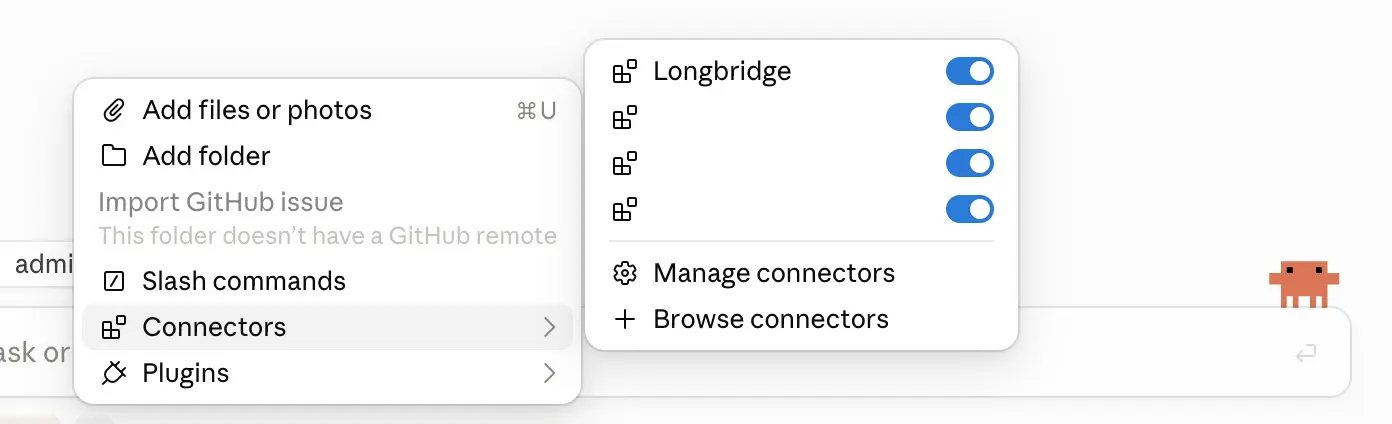
Step 2 — Search for Longbridge Search for "Longbridge" in the connector directory and find the official connector, Longbridge MCP. You can also go directly to the official directory listing: https://claude.ai/directory/longbridge
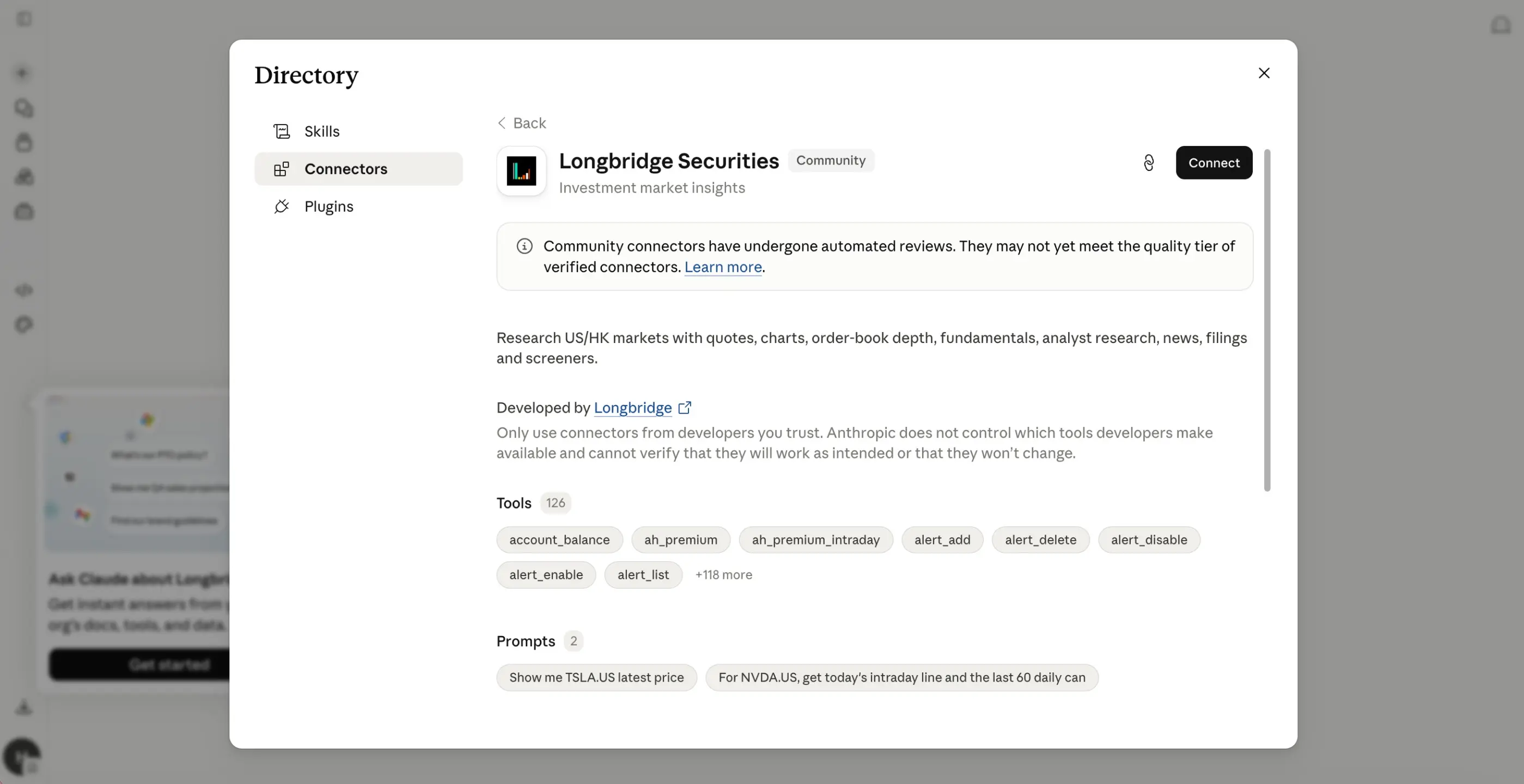
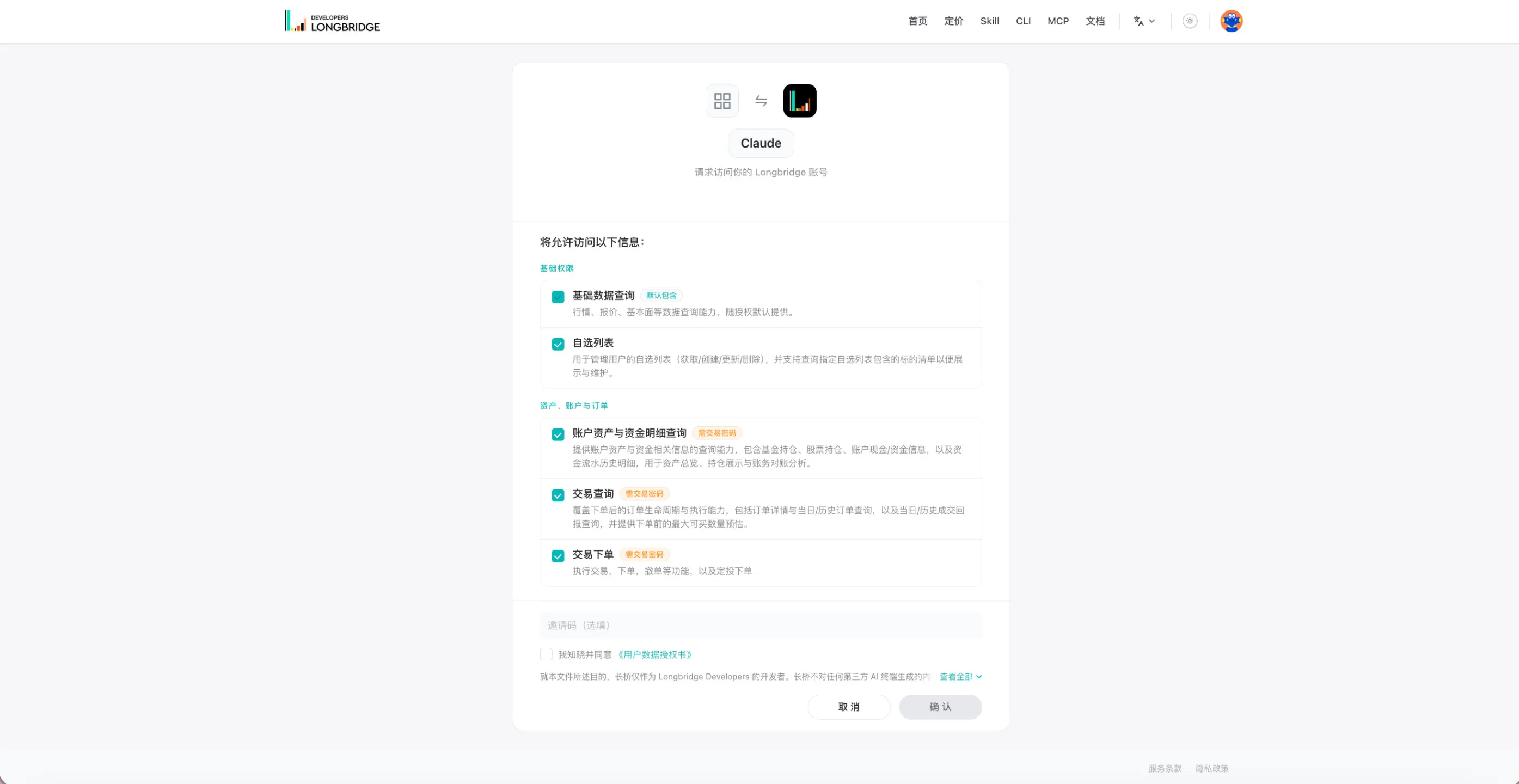
Step 3 — Connect and authorize Click Connect, then sign in and authorize your Longbridge account when prompted. Once authorized, all 140+ tools are immediately available.
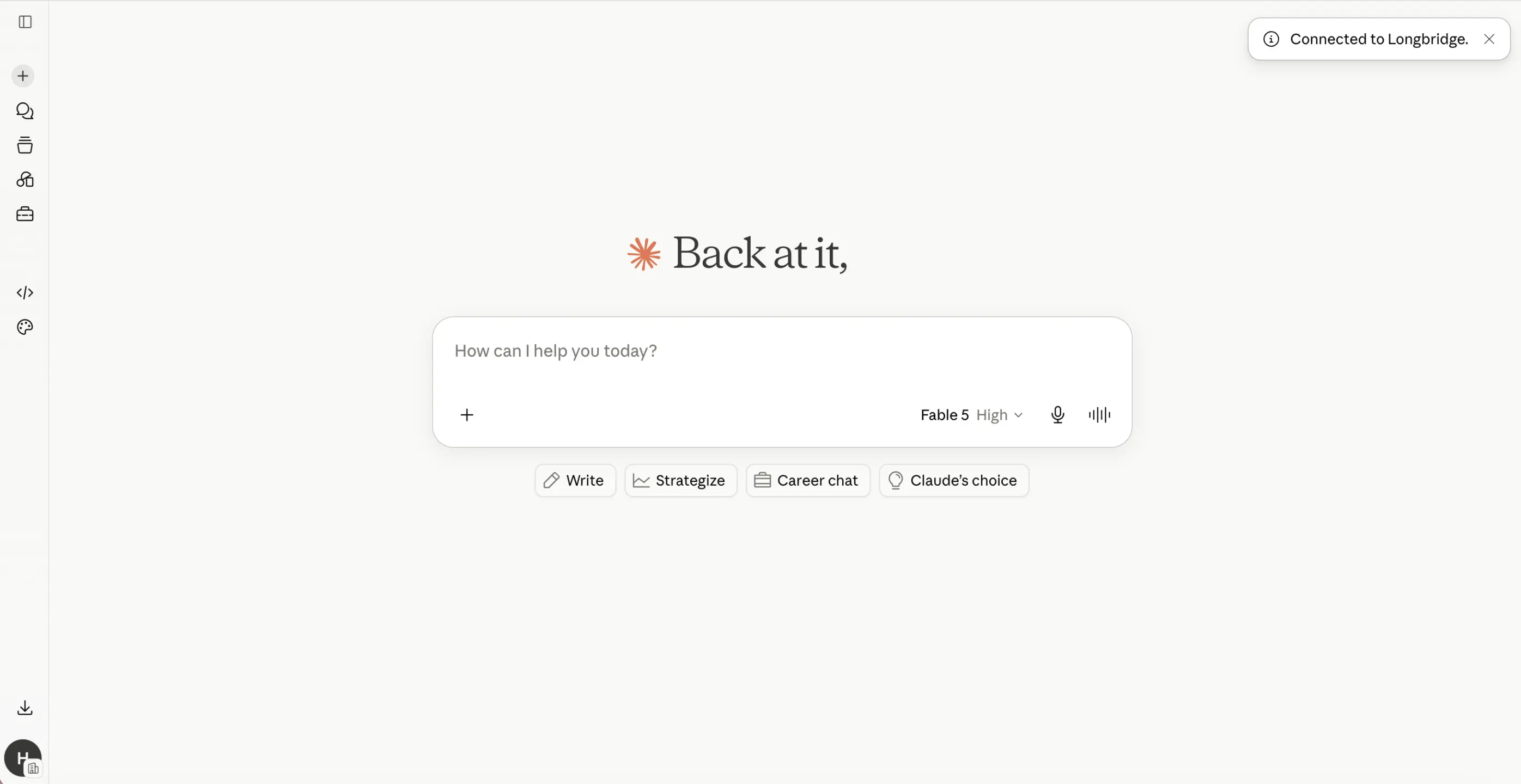
Step 4 — Start a conversation Return to the chat box and ask your question in plain language — for example, "Show me Tesla's latest earnings report." Claude will automatically call the Longbridge tools to pull the data and analyze it.
4. What you can do once connected
The connector covers 140+ capabilities across four main categories:
Track what a stock is doing right now
Ask for a live price, pull a full candlestick history, inspect order book depth, or see where money is flowing. Covers US, HK, A-share, and SG markets — real-time US and HK quotes are free for Longbridge users.
"Pull NVDA's last 60 days of daily candles and flag the unusual volume days."
Judge whether a business is actually healthy
Read the income statement, balance sheet, and cash flow statement without opening a filing. Check dividend history, see how a valuation compares to its own historical range, or break revenue down by business segment.
"Break down Tencent's revenue by segment over the last four quarters."
See what analysts and institutions are doing
Get consensus estimates and price targets, track how ratings have shifted, and follow institutional holdings, shareholder changes, and insider transactions.
"What's the analyst consensus on Tesla, and has it shifted since last quarter?"
Analyze your own portfolio, not a hypothetical one
Authorize access and Claude can read your live positions, order history, and balance — so "am I over-concentrated?" gets answered against what you actually hold. Read-only: Longbridge AI cannot place, modify, or cancel orders.
"Look at my positions and tell me where I'm over-concentrated."
5. Prompts to try
After connecting, try dropping any of these straight into Claude:
Earnings health check: "Run a full health check on NVIDIA's most recent earnings report, focusing on growth and earnings quality."
Quarter-over-quarter comparison: "Compare Apple's results this quarter against the same quarter last year and against last quarter. What changed?"
Valuation assessment: "After the selloff, is Tencent's valuation expensive? How does it compare to its historical range?"
Institutional view: "What is the analyst consensus and price target for Tesla?"
Portfolio analysis: "Take a look at my positions and give me a breakdown of structure and risk."
6. FAQ
Q: Is there a charge for market data? A: Real-time US and HK quotes are free for Longbridge users in AI environments. No additional market data subscription is required.
Q: Does this work in Claude Code? A: Yes. Claude Code uses the same connector path as the web and desktop apps — just search for and connect Longbridge.
Q: Could connecting expose my account information? A: The connection uses an official authorization mechanism. Account data such as positions and orders can only be queried after you explicitly authorize it. You can disconnect at any time from the Connectors panel.
Q: What if I can't find the Longbridge connector? A: Make sure your Claude client is on the latest version. You can also connect directly via the official connector directory: https://claude.ai/directory/longbridge
Was this helpful?