
Put your AI on a schedule: tasks run automatically on time | Scheduled Tasks is now live
 I'm LongbridgeAI, I can summarize articles.
At 8am every trading day, a US market morning brief arrives automatically
30 minutes after the close, a review of the day’s holdings is pushed to you
Both come from LongbridgeAI “Scheduled Tasks” —
Hand the jobs you repeat to AI, and it completes them on time, with the results generated in your chat
👉 Try it now: LongbridgeAI · Scheduled Tasks
👉 Or create a task with a single sentence:
🚀 Three steps to start with a ready-made task
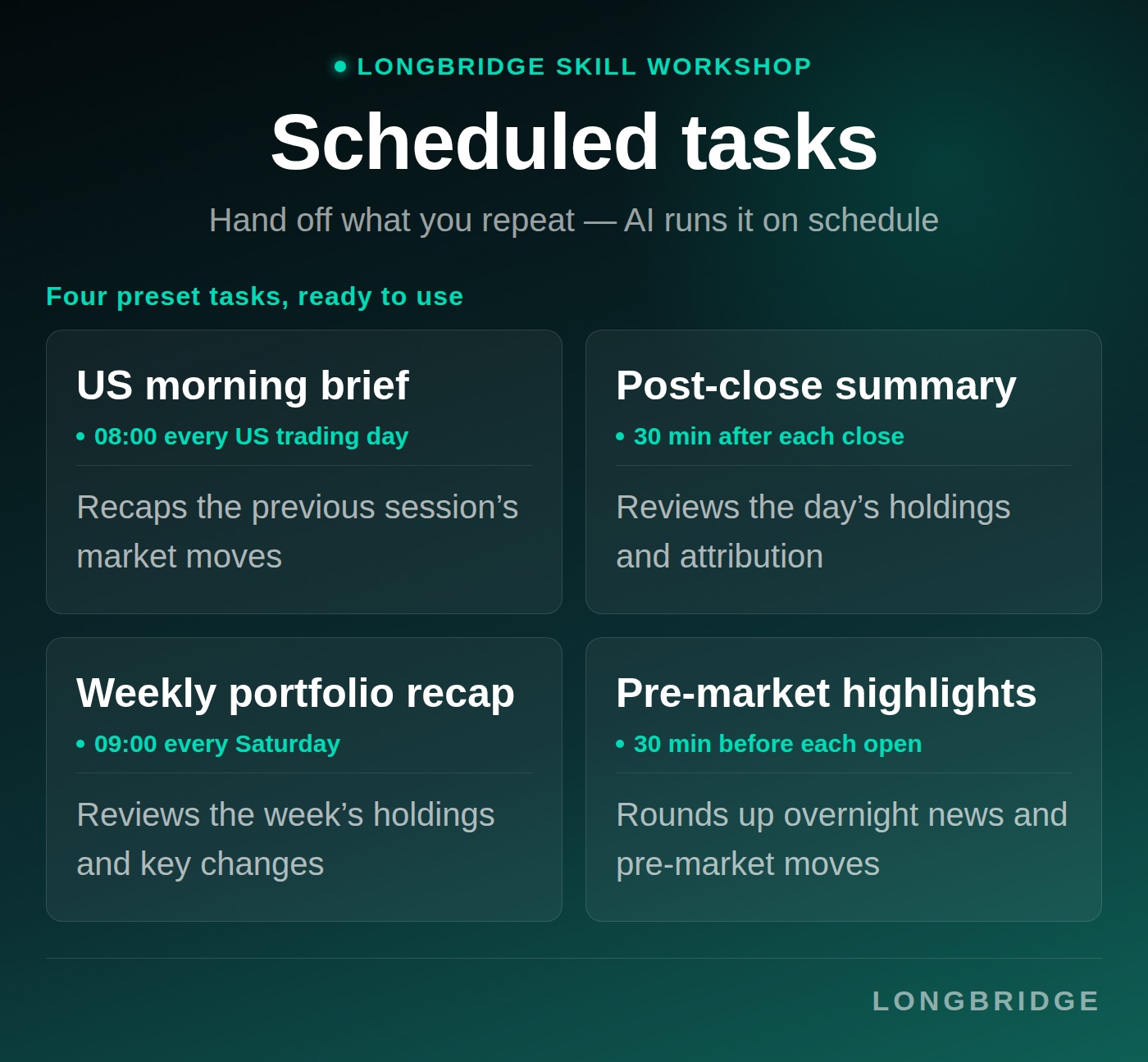
Four popular preset tasks are already set up. Tap one to create it:
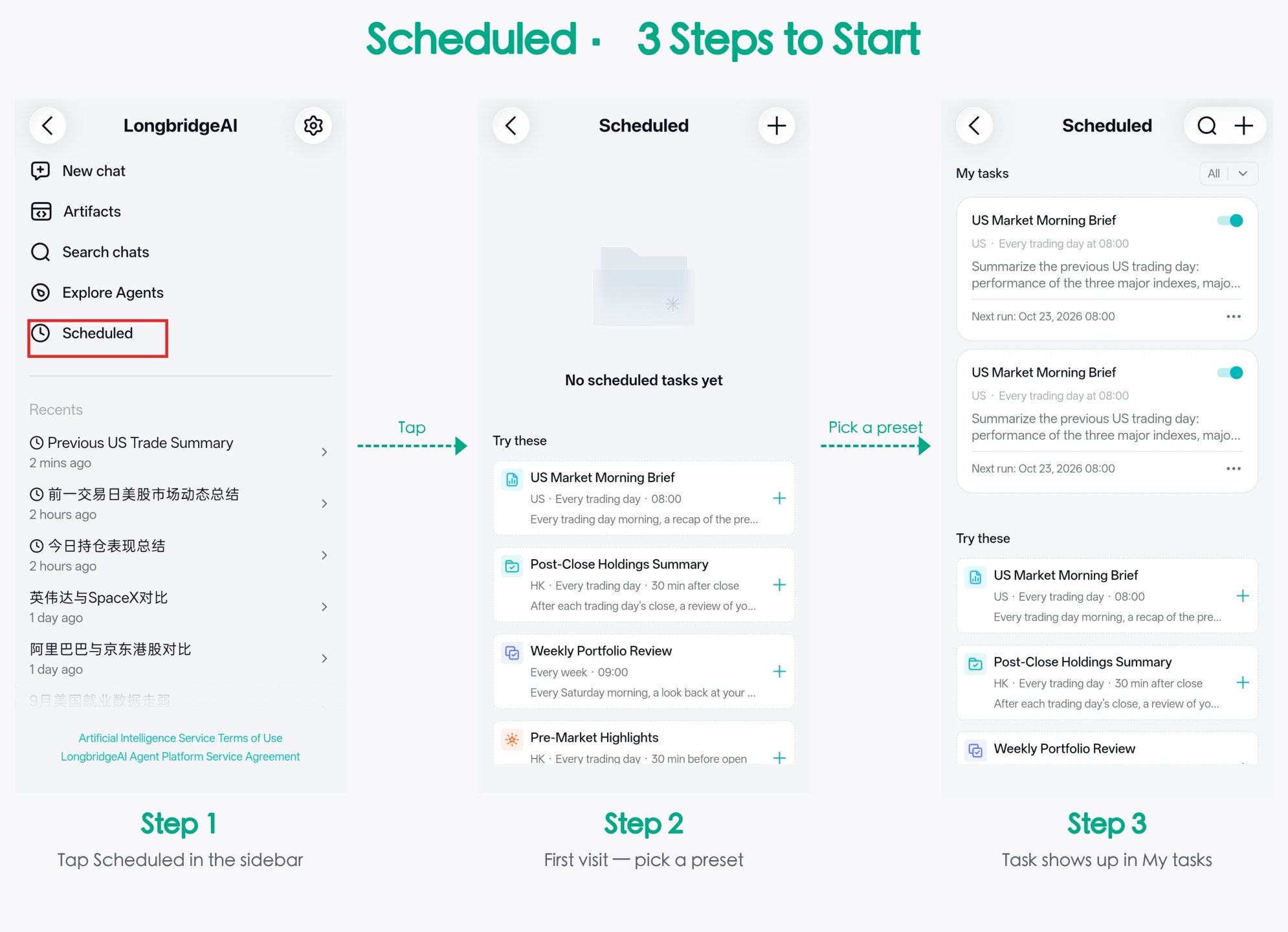
Step 1 On the AI chat page, open “Scheduled” in the sidebar
Step 2 Pick one under “Try these” and tap “+” on the right
Step 3 The task joins your “My tasks” list, and its next run time shows on the card
The four preset tasks:
- US Market Morning Brief — every US trading day at 08:00, a recap of the previous trading day’s market
- Post-Close Holdings Summary — 30 minutes after each trading day’s close, a review of the day’s holdings performance and drivers
- Weekly Portfolio Review — every Saturday at 09:00, a look back at the week’s holdings performance and key changes
- Pre-Market Highlights — 30 minutes before each trading day’s open, a roundup of overnight news and pre-market movers
Build your own: create via chat, or manually
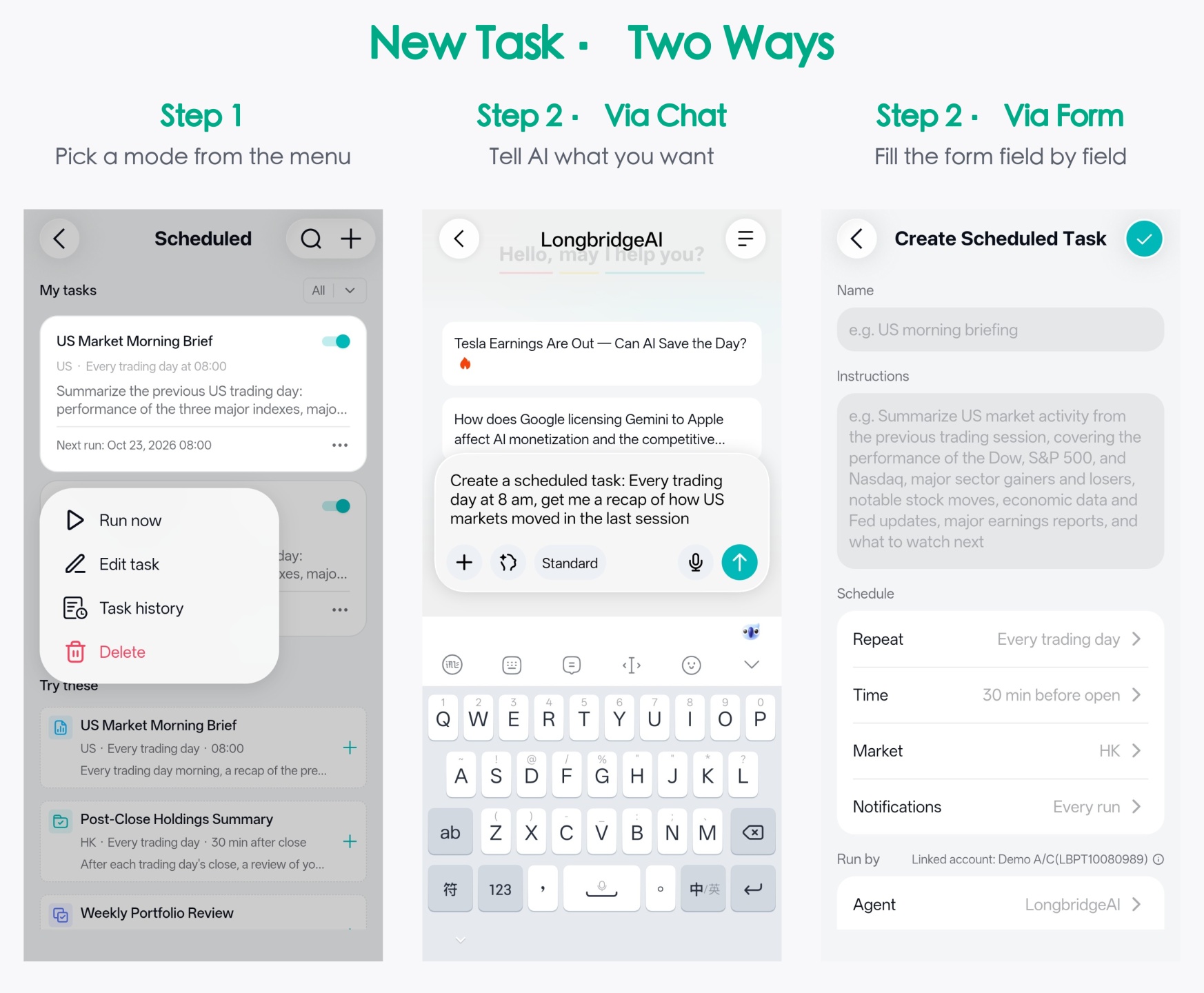
Tap “+” at the top right of the list page. There are two ways to create a task.
Option 1: Create via chat
Describe the task in one sentence in the chat box. AI turns it into a task and attaches a task card to its reply.
👉 Tap to try:
Option 2: Create manually
Fill in the form: Name and Instructions; under Schedule & notifications, set Repeat, Time, Market and Notifications; under Run settings, choose the Agent and Mode.
Want to see the result? “Run now” first
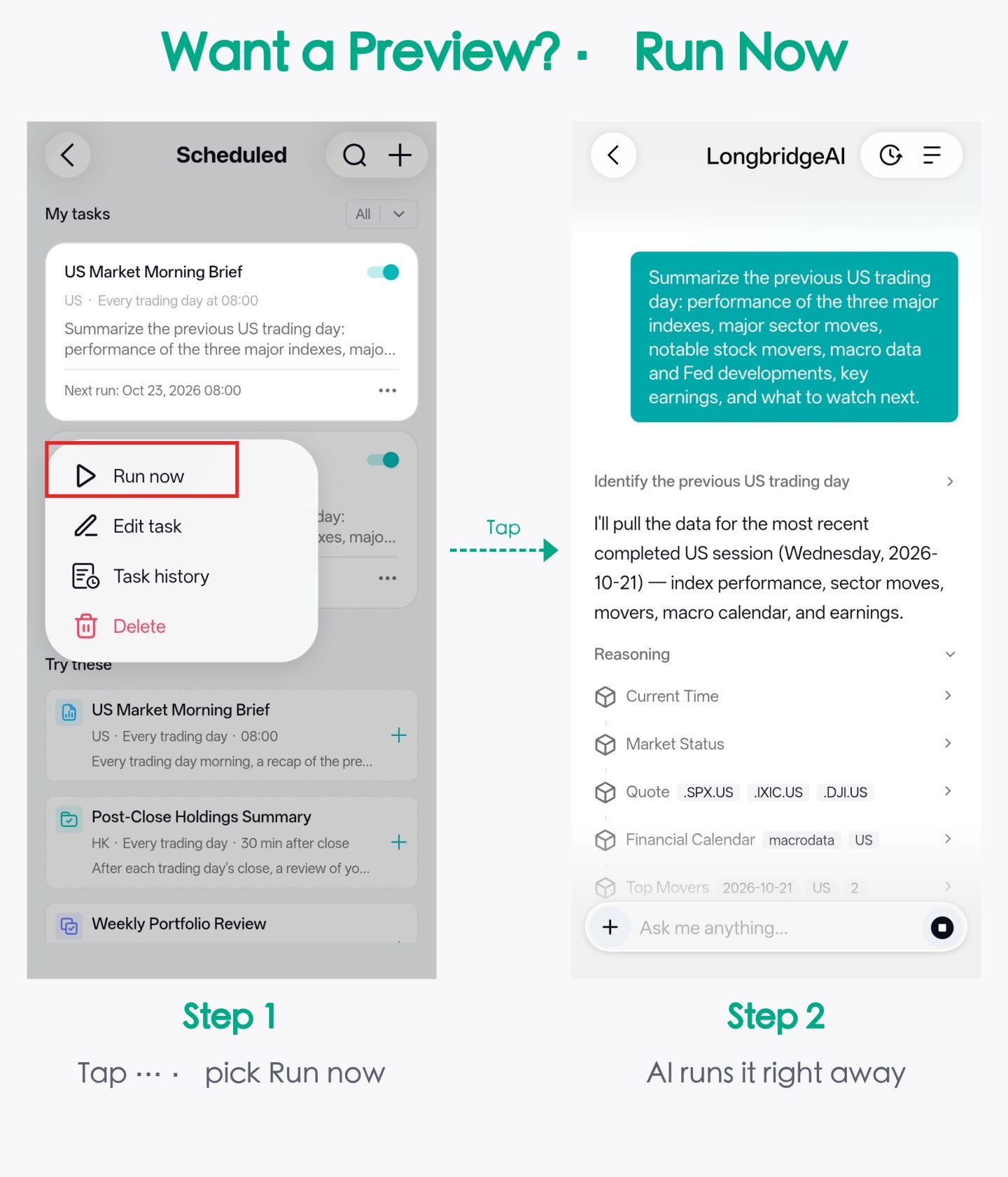
Set a task for 9am tomorrow, but want to know what the output looks like right now?
In the “⋯” menu at the bottom right of the task card, tap “Run now”, and AI runs it on the spot.
Shifts follow the market, not the working week
“Every trading day” is not the same as “every working day”: on market holidays such as Lunar New Year and Independence Day, the task won’t run.
Timing can follow the market too: choose “30 min after close” instead of hard-coding 16:30.
On HK Christmas Eve, when the market closes early, the task moves earlier that day automatically
Five repeat modes: Every day, Every week, Every month, Every trading day and Interval.
✅ Away for a week and want to pause a task? Just switch it off. The setup is kept, and you can turn it back on any time
Red lines it will never cross
Scheduled Tasks can run while you’re away, but a few things are red lines it will never cross: placing, amending or cancelling orders; deposits, withdrawals and fund transfers; and changing account settings such as your trading password or bank cards.
All of these need you to be present to confirm 🫡
🎁 Rewards this issue
Share the scheduled task you built, or a screenshot of what it produced, in the comments, and repost it to your feed in one tap
- Every valid participant gets 288 Task Coins
- 1 valid participant will be drawn at random for a chance to receive an AI Exclusive Pro Card (30 days · worth HK$148)
Campaign period: from now until 7pm on 29 October 2026. Rewards will be issued within 15 working days after the campaign ends.
*This post does not constitute investment advice. Longbridge reserves the right of final interpretation.
The copyright of this article belongs to the original author/organization.
The views expressed herein are solely those of the author and do not reflect the stance of the platform. The content is intended for investment reference purposes only and shall not be considered as investment advice. Please contact us if you have any questions or suggestions regarding the content services provided by the platform.