v0.8.0
Release Date: 2025-10-27
New Features
Custom workspace: This shipped introduces a brand-new custom workspace feature, allowing you to Create, Manage and Update your workspace more flexibly.
Getting started
- Start from a blank layout — Drag, Resize or Remove widgets to freely create and custom your workspace.
- Start from one of our preset templates to meet different trading needs.
Tab management: Create, Delete, Rename, Sort or Open tab in new window.
Grouping widgets: You can assign multiple widget into the same or different groups. widgets in the same group will automatically synchronize when switching stocks.
Rich widgets support: Choose from widgets in categories like Trading, Stocks and Markets to suit your analysis and trading needs.
Options: Added support for combination option strategies, enabling more complex trading strategies.
Stocks: Added access to more financial data, including key indicators, income statements, balance sheets, and cash flow statements for a comprehensive financial analysis.
Themes: This shipped includes 20+ preset themes. You can pick your favorite theme apply it across the entire app.
- Choose your favorite theme
- More themes to explore
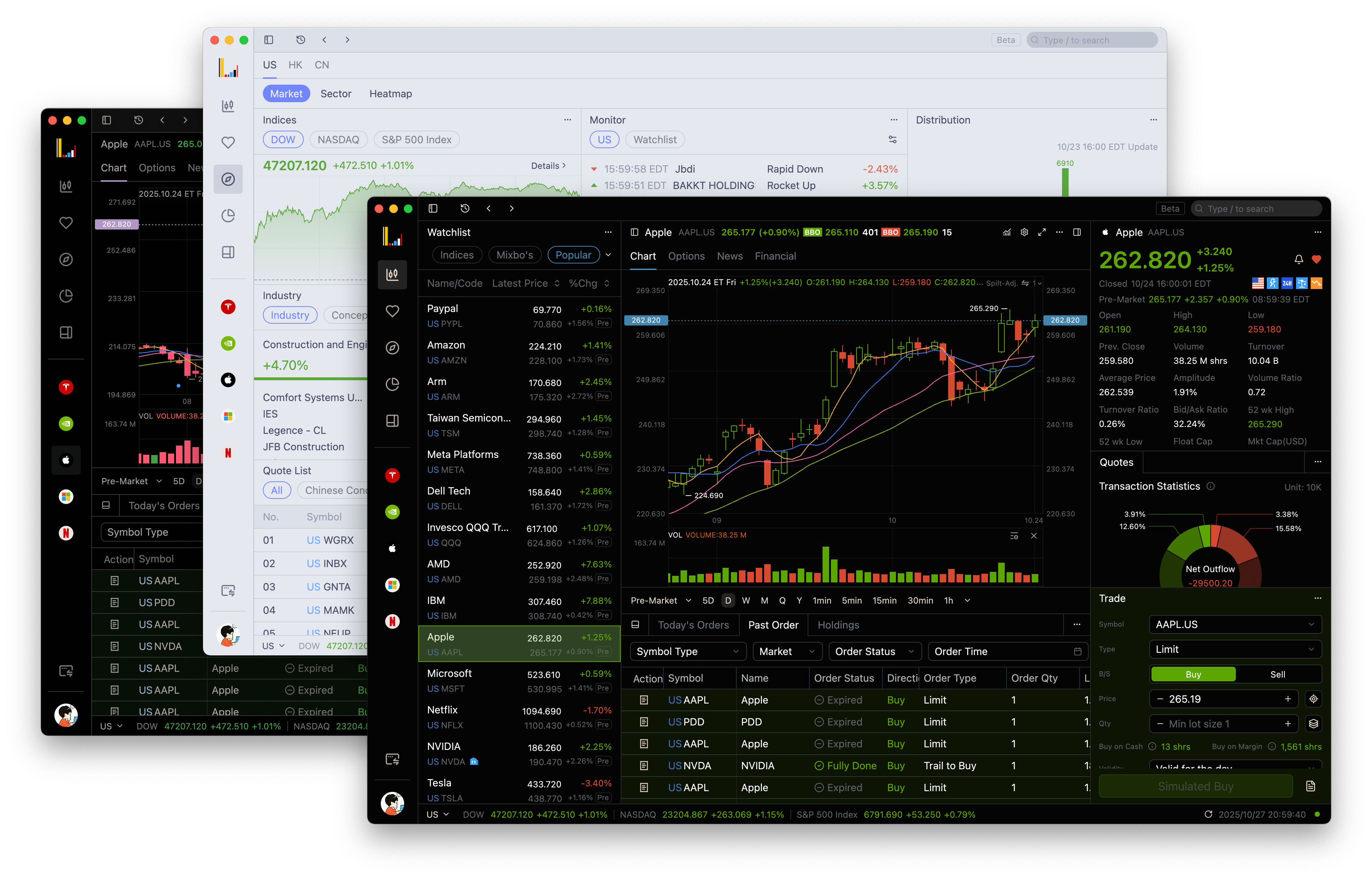
Trading: Added responsive layouts for trading panel. They now adapt to different window sizes and support horizontal alignment for better layout optimization.
Optimizations
- Improved order list update sequence and display logic for more accurate order status.
- Enhanced precision and unit display for virtual asset fields.
- Updated asset holdings with ETF support and refined UI styling.
- Improved option strategy list and field precision display.
- Optimized trading password error message style.
- Fixed logo clipping on quote details page.
- Reduced latency in bid/ask price and volume updates.
- Refined gradient background for total assets chart.
- Adjusted market tab display on asset overview panel based on regional preferences.
- Added theme-adaptive color support for action icons in the asset overview panel.
- Streamlined app auto-update process to reduce waiting time.
- Fixed missing fields in order modification popup.
- Fixed incorrect order sequence after order push.
- Fixed incorrect position in sell orders during modification.
- Fixed issue where trading price input field did not auto-fill market price.
- Fixed incorrect margin usage when margin was negative.
- Fixed empty content in short-selling chart when no data available.
- Fixed stock name overflow in global history list.
- Fixed mismatch between expired options and search results in global search.
- Fixed missing withdrawal icon in asset overview panel.
- Fixed app crash issue when using feedback on login page.
- Fixed sub-window merge failure on first app launch.
- Fixed occasional app crash caused by password field.
- Fixed high memory usage in some cases.
- Fixed multiple crash issues on Windows platform under certain conditions.