
Settings panel, valuation and multi-stock view
A dedicated settings panel arrives, along with valuation analysis, multi-stock columns and quick order edits.
Fixes for Windows crashes and chart market orders
Optimized crash issues that may occur on Windows devices.
Improved
- Optimized crash issues that may occur on Windows devices.
- Fixed an issue where market orders in “Chart Trading” were unresponsive during US stock regular trading hours.
Fixes for the daily K-line axis and option premium
Optimized time zone handling and fixed an issue where the ti
Improvements
- Optimized time zone handling and fixed an issue where the time axis on the daily K-line chart might be incorrect.
- Fixed an issue where the “Options Chain” premium wasn’t updating promptly during the pre-market session.
Settings panel, valuation analysis and multi-stock view
Added settings panel.
New Features
- Added settings panel.
- Stocks: Added valuation analysis panel.
- Watchlist: Added multi‑chart feature for watchlist stocks.
- Quote: Options now support extended trading hours (pre‑market).
- Trade: Added “Quick Amend Order” for today’s orders.
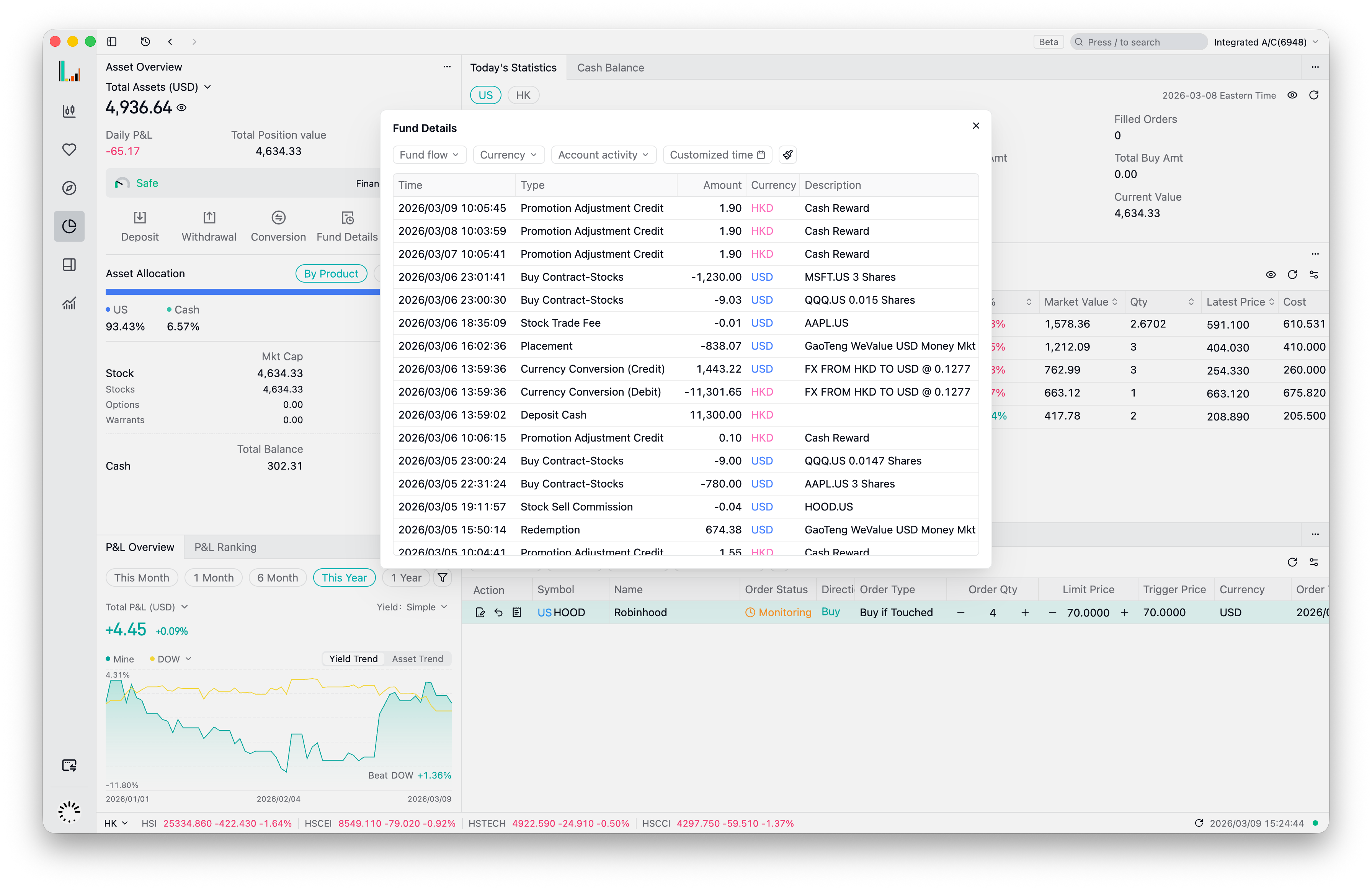
- Assets: Added a brand-new “Funds Details” view.
Improvements
- Moved the user menu to the title bar for easier access to user information.
- Fix chart time axis display error when switching daylight saving time.
- Fixed a potential startup issue on Windows.
- Added a “Action” filter to History Orders.
- Optimized the default date range for History Orders.
- Positions table now defaults to sorting by market value.
- Optimized trading keyboard order placement.
- Updated styling details for the trading form.
- Improved display of special trading statuses in market data.
- Filter out empty groups in the watchlist.
- Refined visual details of the heatmap.