
Market heatmap and multi-tab investing
The market heatmap arrives, stocks open in parallel tabs, and shortcuts speed up the whole desk.
Fix for total assets with overnight prices
Overnight:is enabled.
Improvements
- Fixed inconsistent total asset value display across devices when Overnight is enabled.
More chart timeframes and a quick trade button
Market charts offer more time intervals and a cost price line, and a quick trade button sits on the main interface.
New Features
-
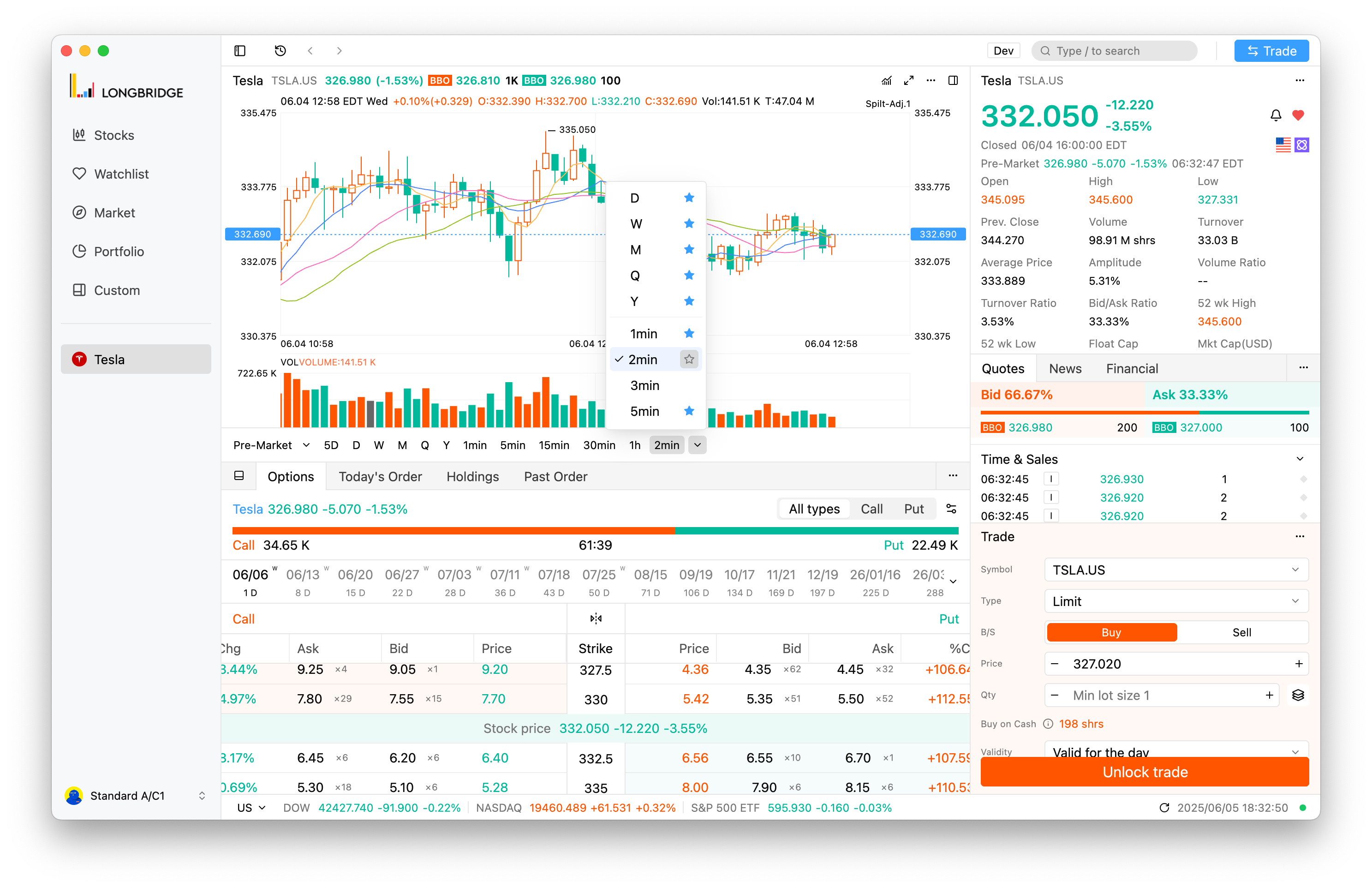
Chart Timeframes: Added support for selecting more time intervals in market charts, enhancing analysis flexibility.
-
Trade Preview: Margin requirements now always displayed in the trade preview interface for better transparency.
-
Quick Trade Button: Added a quick trade button to the main interface for fast and convenient trading.
-
Chart: Introduced a cost price line chart to visually analyze the relationship between cost and market prices.
-
Quote Upgrade Prompt: Added a guide for upgrading quote data access permissions, improving user awareness.
Improvements
- Fixed issue where pop-up prompts couldn’t be dismissed with the ESC key, improving usability.
- Enhanced the market tab industry list to load more data, enabling broader market insights.
- Fixed incorrect amount display in trade preview, ensuring data reliability.
Cmd+H hides the window, watchlist no longer drives up CPU
Press Cmd+H to hide the window; watchlist items without quotes no longer cause high CPU usage, and data settings are not shared between old and new versions.
New Features
- Added support for Cmd+h keyboard shortcut to quickly hide windows, improving workspace management efficiency.
Improvements
- Fixed high CPU usage issue caused by watchlist items without quotes, improving runtime efficiency.
- Optimized chart rendering mechanism, enhancing drawing precision and performance.
- Improved response speed for mouse hover and drag operations, ensuring smooth experience.
- Optimized chart indicator settings layout, improving user interface friendliness.
- Optimized stock quote refresh frequency, enhancing data display timeliness.
- Fixed chart range switching error after network reconnection, ensuring accurate display.
- Fixed multiple update checks triggered on first startup, optimizing startup process.
- Fixed issue where demo accounts still required trading password input on first login when switching between multiple accounts, improving multi-account experience.
- Optimized storage mechanism, improving application stability.
Data settings are not shared between old and new versions. When opening the new version (v0.2.3-preview.0 and later) for the first time, stock tabs opened in the old version will be synchronized once to the new version. After that, stock tabs opened in the old version (before v0.2.3-preview.0) will not be displayed in the new version. Stock tabs opened in the new version will also not be displayed in the old version.
- Fixed minor performance issues that caused interface lag, ensuring a smoother experience.
Open the trade window with a shortcut
Quick Trade Window:Added shortcut keys to open the trade win
New features
- Quick Trade Window: Added shortcut keys to open the trade window instantly.
- macOS: Cmd+`
- Windows & Linux: Ctrl+`
- Stock Tab Switching: Enabled shortcut keys to switch between stock tabs efficiently.
- macOS: Ctrl+[1-9]
- Windows & Linux: Alt+[1-9]
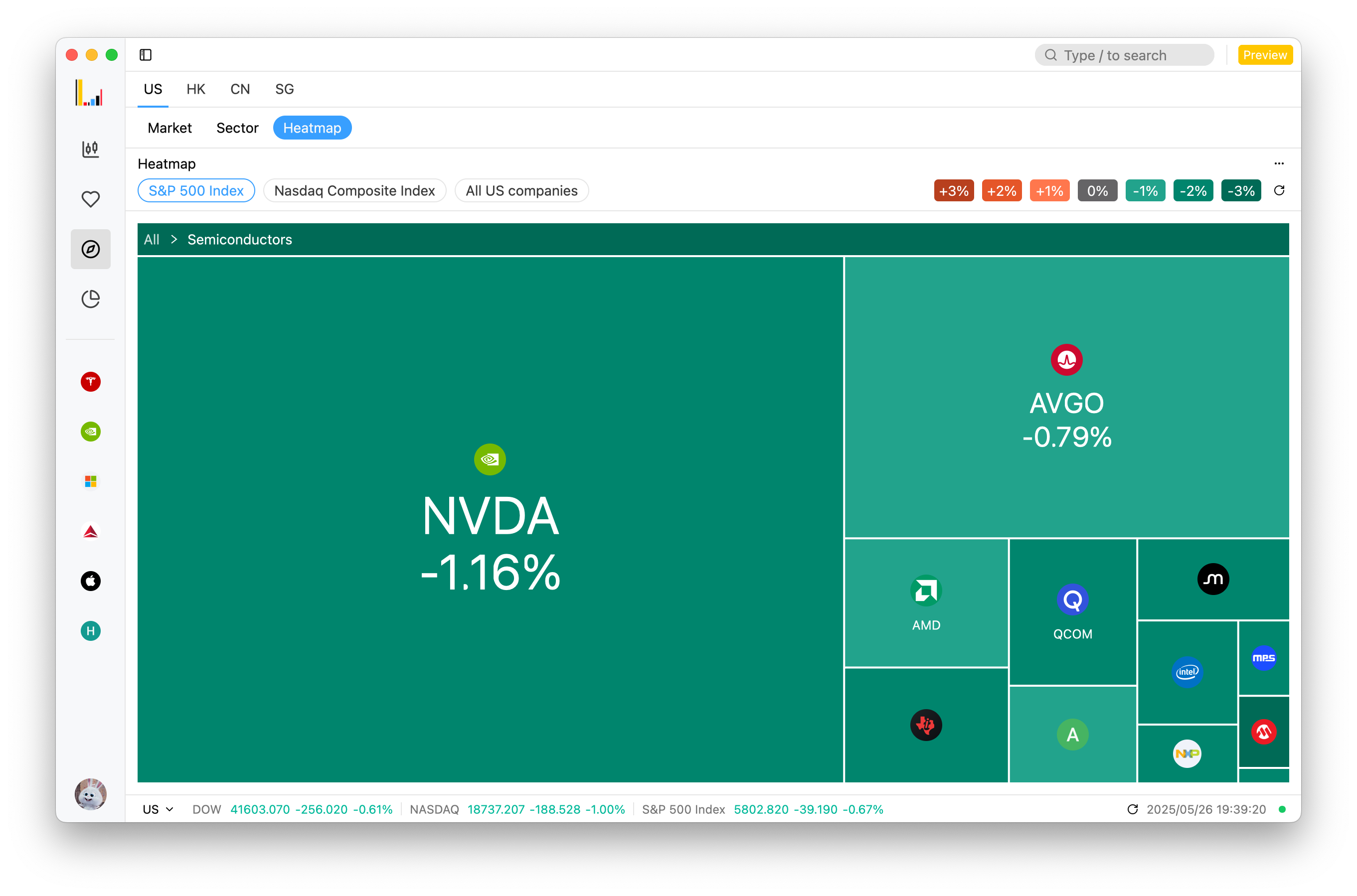
- Market Heatmap: Added detail view to display structured market and stock data, enhancing insights.
- Panel Zoom Toggle: Added shortcut key Shift+Esc to quickly toggle panel zoom and restore, enhancing workspace navigation efficiency.
Improvements
- Optimized rendering mechanism for stock-related charts, boosting performance.
- Supported saving appearance settings, added system theme sync.
- Fixed flickering issues in chart rendering, especially on Windows with AMD graphics, ensuring a smooth visual experience.
Strategies adjust to live market data, faster trade history
Trading strategies can be adjusted from real-time market data, trade history no longer loads slowly, and account details display correctly.
New Features
- Added support for adjusting trading strategies based on real-time market data to improve responsiveness.
Improvements
- Optimized trading performance to reduce network latency.
- Improved user interface for a cleaner and more user-friendly experience.
- Enhanced security by upgrading the user authentication process.
Others
- Fixed an issue causing slow loading of trading history.
- Resolved a bug that might lead to incorrect display of account details.
- Fixed an issue where charts displayed incorrectly under specific market conditions.
Theme switch now lives in settings, trade calendar fixed
The theme switch is now in the settings menu; in trading, sessions display correctly after choosing a validity and the calendar appears again.
New Features
- Added icons to the user settings menu.
- Moved the theme switch to the settings menu to improve user experience.
Optimizations
Trade
- Fixed the issue where session options were not displayed after selecting validity.
- Fixed the validity dropdown menu being disabled incorrectly.
- Improved event handling for numeric inputs, addressing the loss of input events.
- Fixed the issue where the calendar component failed to appear.
Chart Features
- Enhanced handling of scenarios with small amounts of data to improve chart accuracy.
Others
- Improved functionality hierarchy and details for simpler interface operations.
Chart flicker fixed, especially on Windows with AMD GPUs
Fixes chart flickering, most noticeable on Windows with AMD graphics cards, and improves how arc and pie charts render.
New
- Fixed chart rendering flickering issues, particularly on Windows platform with AMD GPU environments.
Enhancements
- Improved the
arcandpiechart components for better rendering and visual performance.
Preview label in the title bar, startup fix for Intel Macs
The title bar now shows a preview label, and the app starts again on some Macs with Intel CPUs.
New Features
- TitleBar: Added label for preview version.
Improvements
- Heatmap: Optimized interaction style.
- Plot: Improved plot details display.
Miscellaneous
- Fixed zoom panel key binding tooltip display.
- Fixed startup crash on some macOS with Intel CPUs.
Shift+Esc toggles zoom, Cmd+` opens the trade window
Toggle panel zoom and open the trade window from the keyboard; the treemap can be viewed by sector.
New Features
- Added
workspace::ToggleZoomto enable quick zoom mode toggle with Shift+Esc. - Supported quick access to the trade window using Cmd+`.
Improvements
- Fixed single data point display issue in inflow history charts.
- Supported treemap visualization by sector.
- Improved data presentation by supporting localized big number formats.
- Added display of symbols for all increasing percentage stocks.
Others
- Improve performance for render inflow detail chart.
Keyboard shortcuts for switching tabs on macOS
On macOS, Cmd-1 to Cmd-9 switch main tabs and Ctrl-1 to Ctrl-9 switch stock detail tabs; option depth data push is available too.
New Features
- Added shortcuts on macOS: Cmd-1 to Cmd-9 for switching main tabs, and Ctrl-1 to Ctrl-9 for switching stock detail tabs.
- Added tooltips for the short sell chart.
- Added subscription for option depth data push.
Optimizations
- Improved chart data loading logic to correctly reload chart when trade status changes.
- Enhanced chart rendering performance using GPUI rendering paths.
- Optimized indices chart rendering.
- Optimized flow chart rendering.
- Optimized distribution chart rendering.
- Optimized short sell and position charts.
- Optimized initial stock list selection logic.
- Fixed timeline flash point position to ensure proper display.
- Improved bar chart rendering for better visualization.
- Fixed panel resizing issues for smoother user experience.
Charts jump to the latest point as prices update
Charts move to the latest point as prices push in; fixes a main chart memory leak and adds chart spacing for readability.
New Features
- Chart now supports auto-moving to the last point during price pushes.
Optimizations
- Fixed main chart memory leark.
- Added default bounds for WebView initialization to improve layout handling on Windows.
- Adjusted default window size for a better visual experience.
- Added spacing to the chart for improved readability.
Fixes for the Windows verification code and installer
Fixed rendering issues with verification code popup on Windo
Improvements
- Fixed rendering issues with verification code popup on Windows.
- Fixed installation issues with Windows installer.
Market heatmap and multi-tab stock details
Heatmap:Visually display market and individual stock heat, s
New features
- Heatmap: Visually display market and individual stock heat, supporting custom filtering and real-time dynamic refresh to help users efficiently gain insights into market trends.
- Multi-Tab Stock Details: Support opening stock details pages in multiple tabs for easy comparison, analysis, and seamless switching, enhancing operational efficiency.
- Chart Feature Expansion: Add various types of market charts (such as K-line, line charts, etc.), support more technical indicators and custom configurations to meet diverse analysis needs.
- Auto Update: Introduce automatic update notifications, optimize the update process, and provide in-app release log viewing with multi-language support, further enhancing user experience.
- Stock Logo: Add a feature to display stock logos, visually presenting unique identifiers for each stock in detail pages, lists, and trading interfaces, improving recognition and visual experience.
- Trading Window: Introduce a new trading window design, providing a dedicated trading interface for seamless trading experience.
Improvements
- Refactor the login interface, optimize layout, animation effects, and interaction logic to enhance visual appeal and operational smoothness.
- Optimize the user menu list by adding account status, account ID, and other information for quick access to key data.
- Optimize the presentation of data in the asset module, standardizing numerical formats, units, and decimal display logic to improve data readability.
- Improve chart zooming functionality, optimize gesture sensitivity and response speed to enhance user operation experience.
- Unify the height and layout of trading windows, optimizing cross-platform display consistency.
- Optimize text style and color adaptation of charts during theme switching, ensuring content clarity in both light and dark modes.
- Optimize default chart interface settings to automatically adapt to user theme preferences, improving the first-time user experience.
- Optimize the handling logic of complex mouse events on K-line charts, enhancing interaction response speed and accuracy.
- Redesign the layout of trading detail fields to highlight key information and improve information retrieval efficiency.
- Add a rule allowing short selling only in the US market, enhancing trading compliance.
- Optimize the refresh mechanism of the order details history table, improving data loading speed and stability.
- Move the language switching feature from the title bar to the user menu, optimizing interaction logic and interface smoothness.