
P/L trend chart and HK dark pool
Portfolio P/L becomes a trend chart, HK dark pool trading opens, and chart settings get their own window.
P/L trend chart and HK dark pool trading
v0.7.1
P/L Trend Chart:Introduced a visualized trend chart to displ
New features
- P/L Trend Chart: Introduced a visualized trend chart to display asset profit and loss changes, enabling users to analyze asset performance more intuitively.
- Chart: Added functionality to view detailed buy/sell data points directly on market charts.
- Grey Market Trading: Enabled grey market trading for Hong Kong markets, offering expanded trading scenarios for users.
Improvements
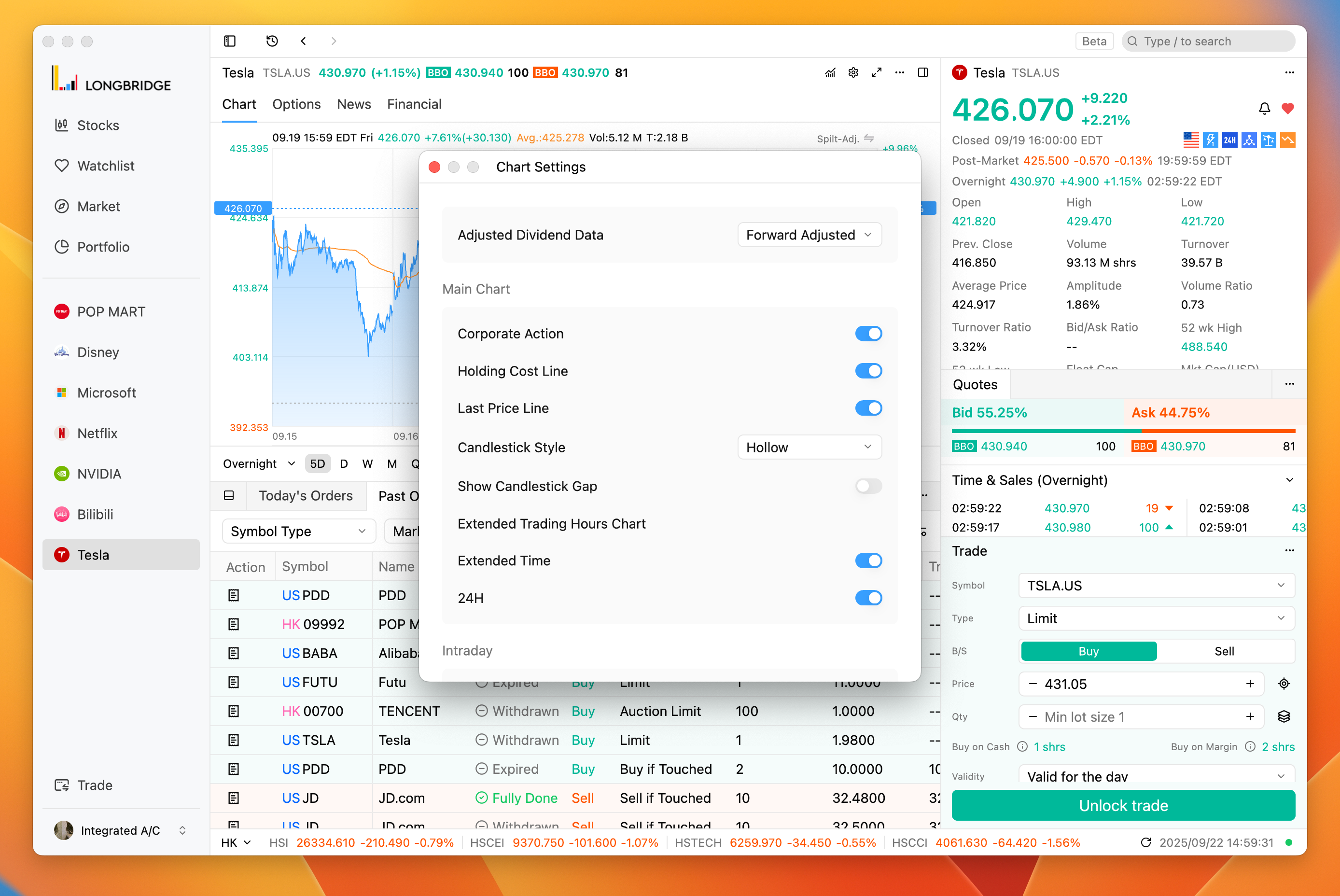
- Enhanced chart settings to open in a separate window, improving customization efficiency.
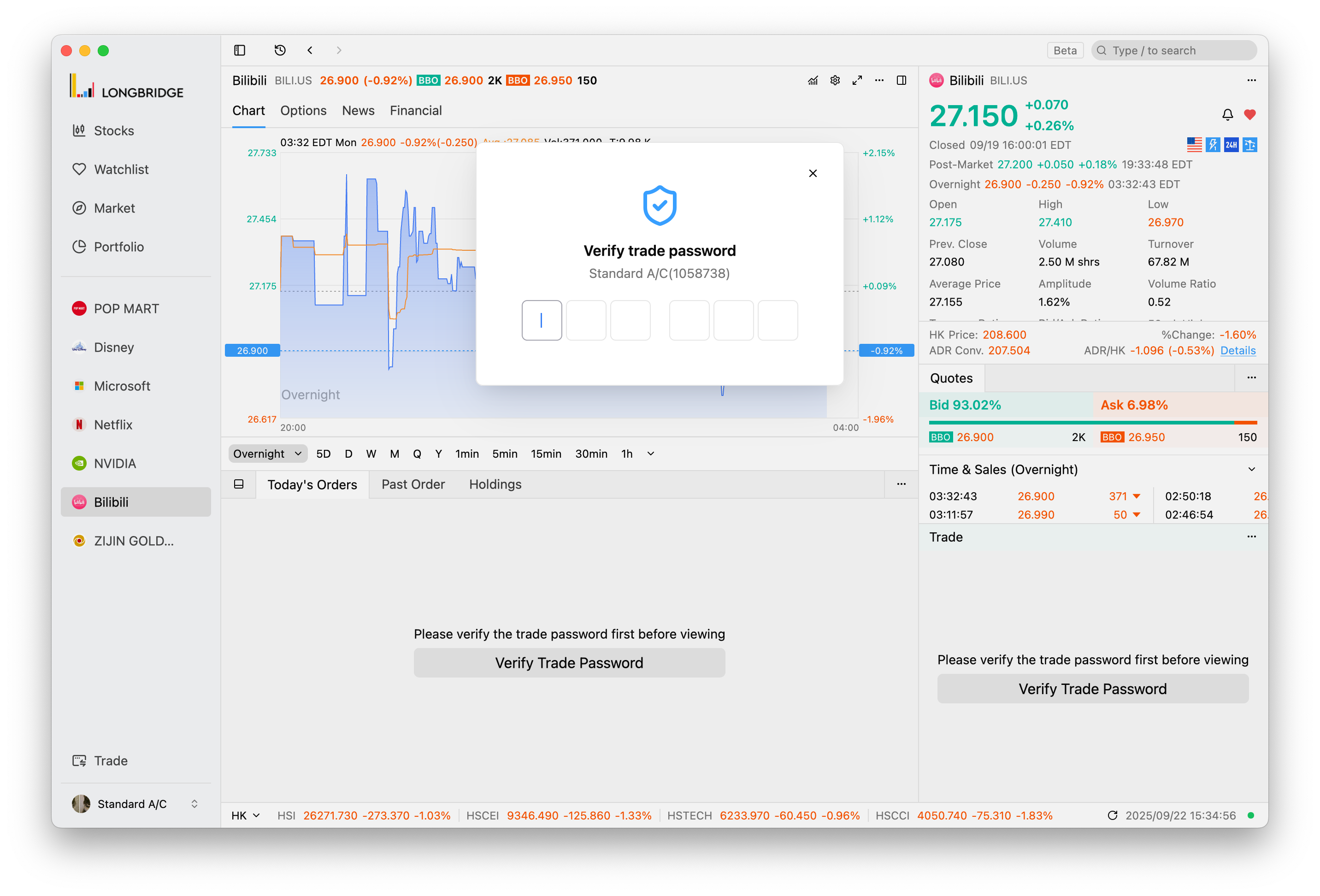
- Refined transaction password verification popup to include more account information.
- Updated language preference settings to refresh the interface language in real time upon modification.
- Integrated real-time push functionality for today’s orders, improving synchronization efficiency and reducing data delays.
- Unified historical transaction chart display by defaulting to the pricing currency for consistency.
- Enhanced UI performance under extreme trading scenarios for smoother responsiveness.
- Improved profit statement drawing logic in the individual stock financial module, ensuring accurate data presentation.
- Adjusted chart switching to prioritize user-preferred range settings.
- Expanded asset holdings module to support displaying option-related securities.
- Redesigned market anomaly settings interface with a new style for better visual consistency.
- Fixed an issue where the login window did not check for update status.
- Corrected inaccurate sorting in the profit/loss column of asset holdings.
- Resolved UI anomalies in the auto-update feature under specific conditions.
- Addressed multiple issues that caused the client to exit unexpectedly in specific scenarios.
- Fixed an issue where the price field in the trading module did not auto-fill the latest transaction price.
- Updated the application name for Windows platform from Longbridge Pro to Longbridge, affecting the Start Menu and desktop icons.
The interface language updates instantly after switching
v0.7.0-preview.1Preview
The interface language refreshes as soon as you change it, profit and loss sorting in holdings is accurate, and the trading password popup is easier to read.
Improvements
- Refined the layout of the trading password verification popup for better readability and user experience.
- Fixed inaccurate sorting of profit and loss fields in asset holdings.
- Fixed an issue where the login window did not check for update status.
- Resolved interface display issues in certain auto-update scenarios.
- Improved language preference behavior: the interface language now refreshes instantly after changes.
- Fixed a potential issue on Windows systems that could cause application exit unexpectedly.
Option holdings in assets, chart settings in a separate window
v0.7.0-preview.0Preview
Option holdings appear in your assets, chart settings open in a separate window, and the order price field fills in the latest trade price again.
Improvements
- Option holdings are now displayed in the user asset module.
- Fixed flickering text in certain scenarios within the auto-update dialog box.
- Chart settings can now be opened in a separate window.
- Updated the UI style of the Market Alerts settings interface.
- Fixed an issue where the latest transaction price was not automatically filled in the order price field.