
Browsing and action history across tabs
Browsing and action history now span every tab, joined by a cost-price line and more chart ranges.
Fix for the crash when right-clicking a position
Fixed an issue where the app would exit when selecting a pos
Improvements
- Fixed an issue where the app would exit when selecting a position stock in the trading window context menu.
Fix for crashes from sub-window history
Fixed application crashes caused by history operations in su
Optimizations
- Fixed application crashes caused by history operations in sub-windows, ensuring a stable user experience.
Fixes for modal scrollbars and the update button
Fixed issues with modal scrollbar and paddings.
Optimizations
- Fixed issues with modal scrollbar and paddings.
- Fixed issues with title bar not correctly display auto update button.
Global browsing history across tabs
Global Stock History:Seamlessly switch between stocks across
New features
- Global Stock History: Seamlessly switch between stocks across tabs with global browsing history for quick market data access.
- Global Navigation History: Navigate efficiently across tabs with global operation history for streamlined detail viewing.
- Chart Timeframes: Added more time interval options for market charts, enhancing analysis flexibility.
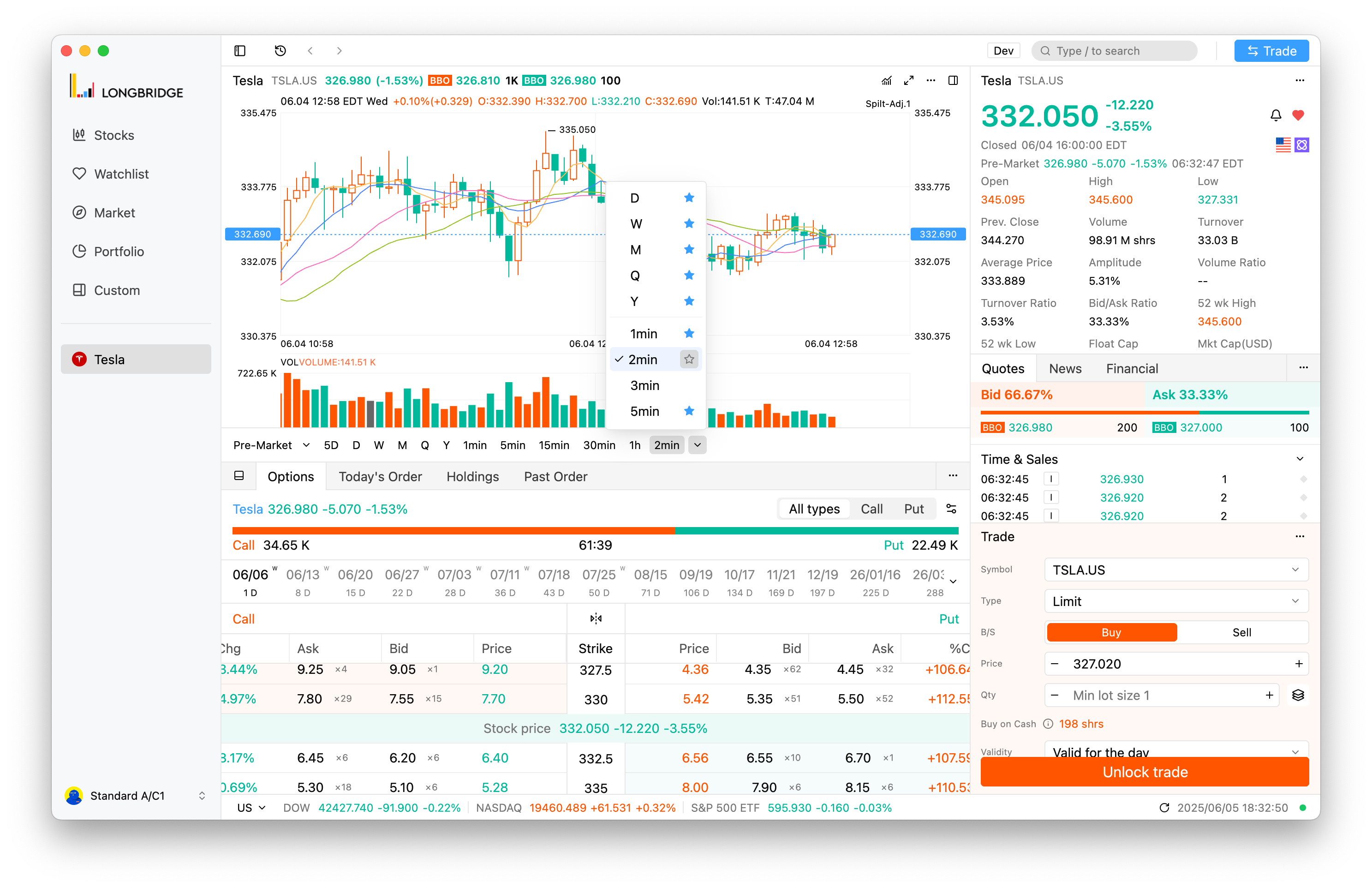
- Cost Price Line: Introduced a cost price line chart to visually compare cost and market prices.
- Quick Trade Button: Added a quick trade button to the main interface for faster trading.
- Market Access Prompt: Added a prompt for upgrading quote data access, ensuring timely data availability.
- Hot Sectors Data: Enhanced market industry list with a load-more feature for broader market insights.
Improvements
- Resolved issue requiring trading password for simulated accounts on first login, improving multi-account experience.
- Auto-hide collapse icon in fullscreen trade window mode for a cleaner interface.
- Optimized global history list and search history styles for clearer information retrieval.
- Improved mouse hover and drag response speed for smoother operations.
- Enhanced chart rendering and indicator settings layout for better performance and usability.
- Fixed information overflow in the About panel on Linux, ensuring accurate display.
- Fixed incorrect range switching after network reconnection, ensuring accurate display.
- Fixed version update status mismatch between About dialog and title bar, ensuring consistency.
- Fixed title bar drag issue on Windows, improving usability.
- Fixed inability to dismiss pop-ups with the ESC key, enhancing interaction.
- Fixed interface lag and performance issues in certain watchlist usage scenarios.
The title bar can be dragged again on Windows
Fixes the title bar not responding to drag on Windows, and the About window and title bar now show the same update status.
- Sync the version updating status between the About window and the TitleBar.
- Fix window TitleBar can’t drag move bug on Windows.
Global stock history and navigation history across tabs
Browse your stock history and navigation history globally, switching between stocks and details across tabs.
New Features
-
Global Stock History: Added global stock browsing history, allowing seamless switching between stocks across tabs for quick access to quote data.
-
Global Navigation History: Introduced global operation history, enabling easy navigation across multiple tabs to view details efficiently.
Improvements
- Interface Styling: Updated account opening link styles and adjusted market scrollbar height to adapt perfectly to various zoom levels, enhancing readability.
- Trade Precision: Adjusted quantity precision based on minimum trading units for more accurate and intuitive calculations.
- Trade Window UI: Auto-hide collapse icon in fullscreen trade window mode for a cleaner interface.
- Data Push Feedback: Improved visual feedback for trade data push, reducing flicker and ensuring clearer status updates.
- Asset Consistency: Fixed inconsistent total asset display across platforms, ensuring data reliability.
- Trade Preview: Corrected issue where margin requirements were always displayed in trade preview, improving accuracy.
- Linux Display: Resolved information overflow in the About panel on Linux, ensuring proper display.