Overview of Pre-market Options Trading
Pre-market options trading is an extended-hours quotation and matching service conducted in collaboration with market makers and is not part of the official exchange trading session. During the pre-market period, you can place options orders, and market makers will respond to and match eligible orders based on their quotes. This helps investors respond earlier to market changes and enhances trading flexibility.
The Pre-market options trading session aligns with the stock pre-market session, i.e., Monday to Friday, 04:00 AM - 09:30 AM U.S. Eastern Time.
1. Which Underlyings Support Options Pre-market Trading?
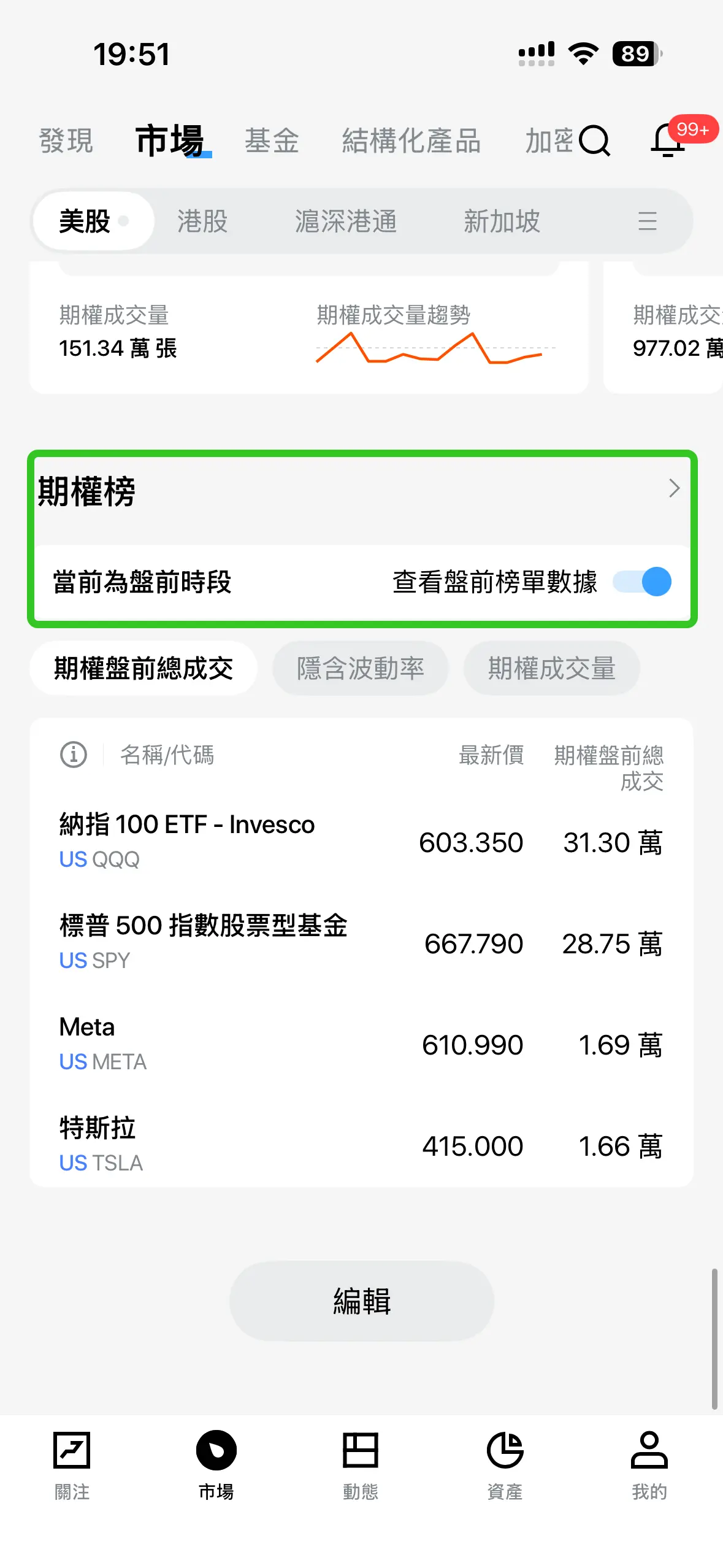
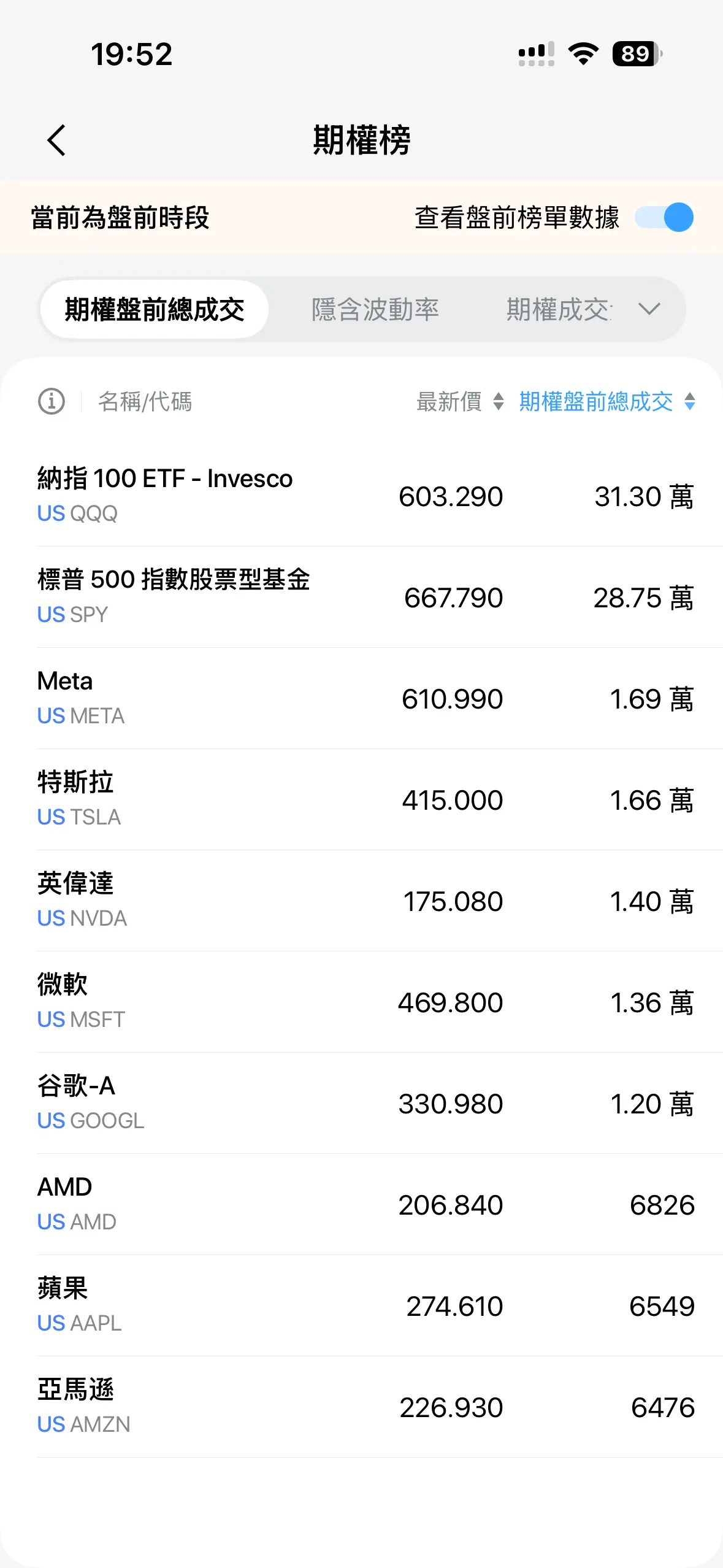
Currently, pre-market trading is available for near-term contracts of select popular stock and ETF options. You can navigate to the Pre-market Options List in the App to view the list of supported underlying stocks.
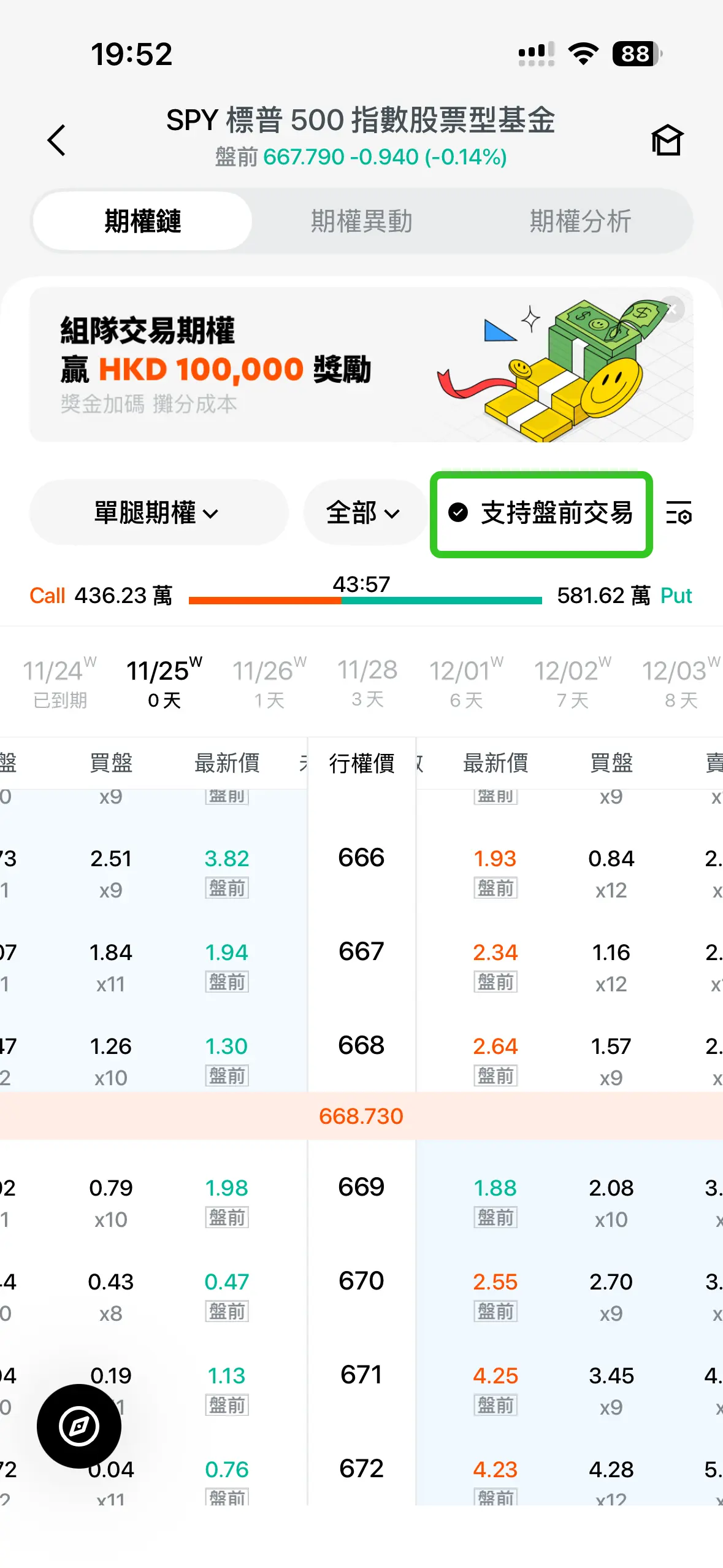
On the options chain page, check the Pre-market Trading button to filter contracts that support pre-market trading. Prices labeled with Pre-market indicate the latest quotes during the pre-market session.
Market makers will continuously evaluate and update the list of options underlyings that support pre-market trading based on market conditions, with more underlyings to be included in the future.
2. How to Execute Options in the Pre-market Session?
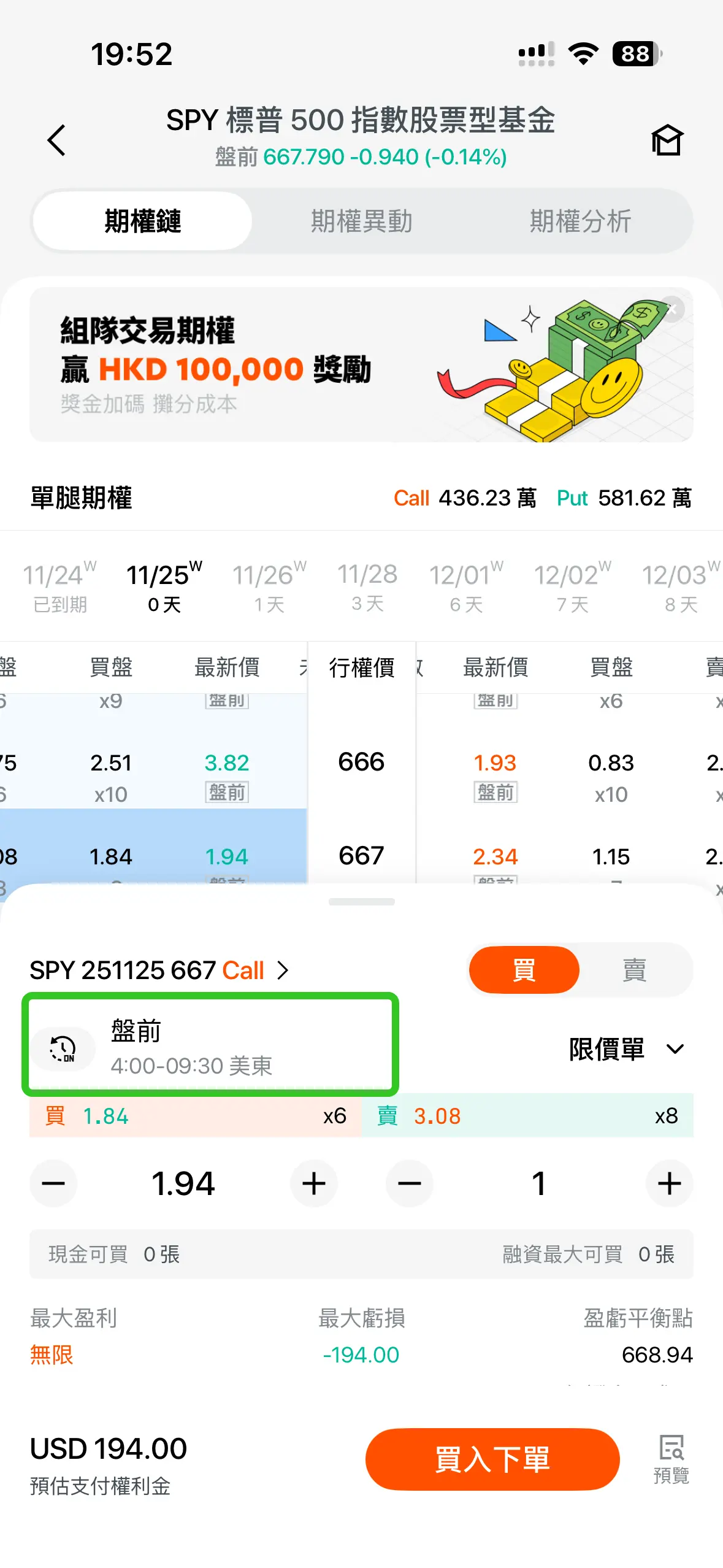
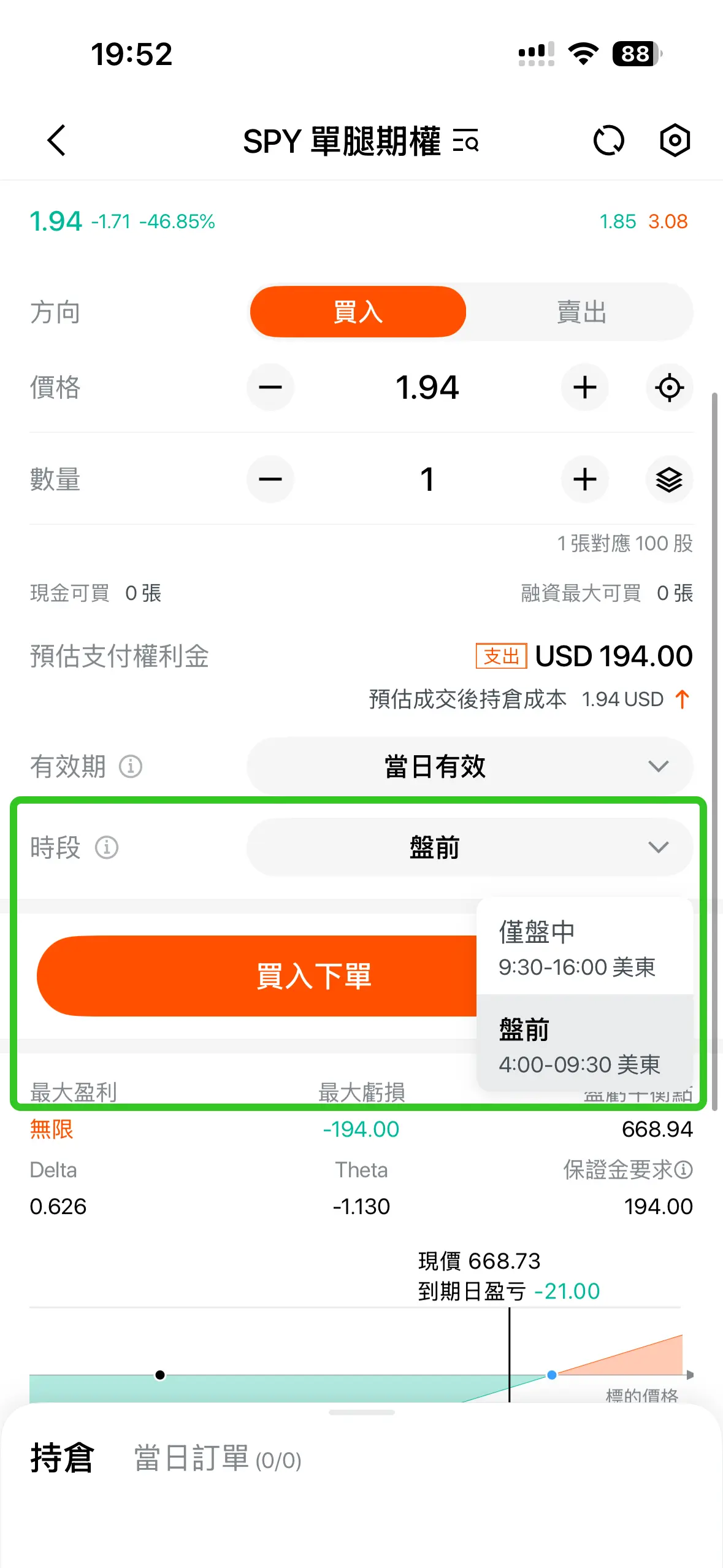
During the pre-market trading hours (04:00 AM - 09:30 AM U.S. Eastern Time), simply click on an options contract that supports pre-market trading on the options chain page, then select the Pre-market Trading 04:00 - 09:30 type in the trading drawer that pops up from the bottom to submit your order as a pre-market order.
Pre-market options trading supports Limit Order only, and orders are valid only for the current trading day. Pre-placed orders are not supported. Any pre-market orders not filled before the official market opens will be automatically canceled by the system.
When trading pre-market options for the first time, the App will guide you to agree and sign the relevant risk disclosure. Once this step is completed, you may proceed with trading.
3. Why does My Order Not Show on the Order Book?
Pre-market options trading operates under a non-public matching model with market makers, so your orders will not appear in the public BBO (Best Bid/Offer). All orders are retained in the market maker's order book and will be executed once their quotes match your order price.
4. Does Pre-market Options Trading Support Short Selling?
Short selling is currently not supported during the pre-market trading session. If you already hold options contracts that support pre-market trading, you may still execute sell-to-close operations during this session.
5. How Are Pre-market Options Trading Orders Charged, and Are There Additional Fees?
Pre-market options trading orders follow the same fee rules as regular trading hours, with no special charges.
6. Can Options Cash Cards and Commission-Free Cards Be Used for Pre-market Options Orders?
The use of Options Cash Cards and Commission-Free Cards is currently not supported.
7. Why Do My Held Positions' P&L Not Change Despite Price Movements in Pre-market Options?
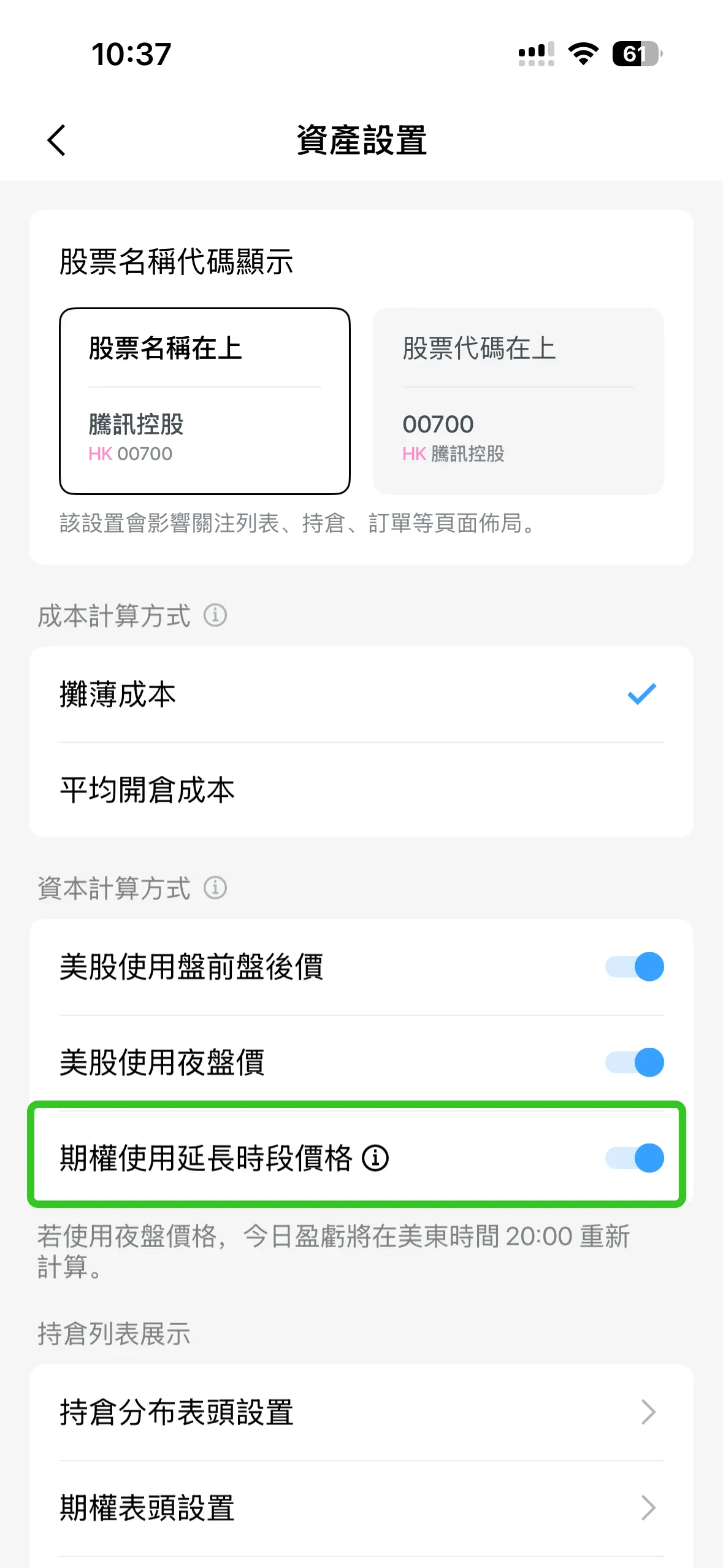
The App allows you to customize whether to use pre-market prices for P&L calculation. Setting path: Me > Settings > Portfolio > Turn on/off the Options Use Extended hours price (options) button.
8. Can Margin Call Occur During Pre-market Options Trading?
Options positions are included in the calculation of the account's overall risk control metrics during the pre-market session. However, actual Margin Call-triggered liquidation operations will be executed after the market opens.
9. Why Was My Pre-market Options Trade Canceled After the Market Opened?
In extreme cases, options orders filled during the pre-market session may be canceled due to abnormal conditions of the underlying stock (such as a trading halt) after the market opens. The funds or position quantities from the canceled options orders will be restored to their state before the pre-market trading occurred.